Author
-
 Evgeny KovalyovProduct Manager, Framework Services
-
 Jonathan LegrandDeveloper Advocate
Code can be found on GitHub.
In this article, I exemplify how one may use pre-existing articles (such as Umer’s) together to form Jupyter Python Apps working alongside your Workspace Tiles environment using the Refinitiv Side by Side API.
1st, we will use Python functions created by Umer in his Instrument Pricing Analytics — Volatility Surfaces and Curves article to create FX Volatility Surfaces.
2nd, we will embed such graphs in a widget, using techniques shown in CodeBook examples (in ‘__ Examples __/04. Advanced UseCases/04.01. Python Apps/EX_04_01_02__WFCH_Company_Income_Statement_Waterfall.ipynb’) and online (shout out to ac24).
3rd, we will finally incorporate this workflow with the Refinitiv Side by Side API so that Tiles become linked with our notebook, reacting to them live (shout out to Evgeny Kovalyov).
In this article, we look at a simple example with an FX Quote Tile and Volatility Surfaces; but you are encouraged to use this code and work to create your own applications that work ergonomically with your workflow, whatever it may be. The techniques used below are very malleable and do not have to be used specifically for Volatility Surface creation. If you have an idea in mind and would like some help to code them up, don’t hesitate to submit your idea to the Article Competition and contact me.
Twitch Python Finance Webinar
Code
This code is running on Python version: 3.8.2 (tags/v3.8.2:7b3ab59, Feb 25 2020, 22:45:29) [MSC v.1916 32 bit (Intel)]
The imported Refinitiv Data Platform library is of version 1.0.0a11.post1
The imported ipywidgets library is of version 7.6.3
The imported pandas library is of version 1.2.4
The imported IPython library is of version 7.22.0
The imported requests library is of version 2.23.0
The imported json library is of version 2.0.9
The imported logging library is of version 0.5.1.2
The imported lomond library is of version 0.3.3
Graph
As per the Instrument Pricing Analytics (Volatility Surfaces and Curves)'s notebook on GitHub, plotting_helper.ipynb, we need to:
1st: Authenticate ourselves to the Refinitiv Data Platform API:
2nd: Now access the RDP endpoint we're interested in before sending a request and storing the response:
The data above can take a while to be collected, you may want to keep it for multiple runs / debugging; I do so below using the Python library pickle:
3rd: Create functions to be used subsequentally in our code:
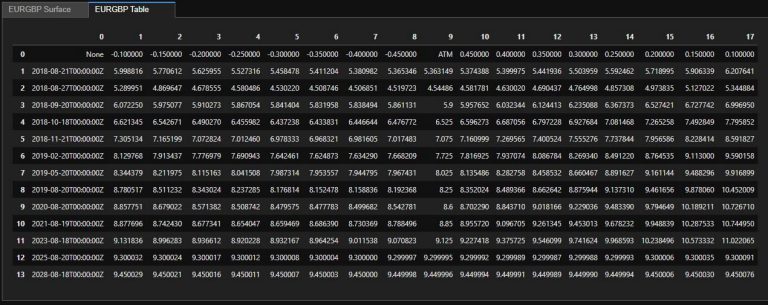
Now let’s have a look at our retrieved data:
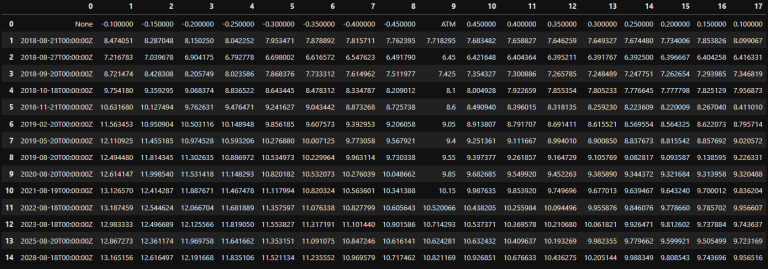
Notice that sometimes you may have a ATM value returned; this is something dealt with in our convert_delta function defined previously.
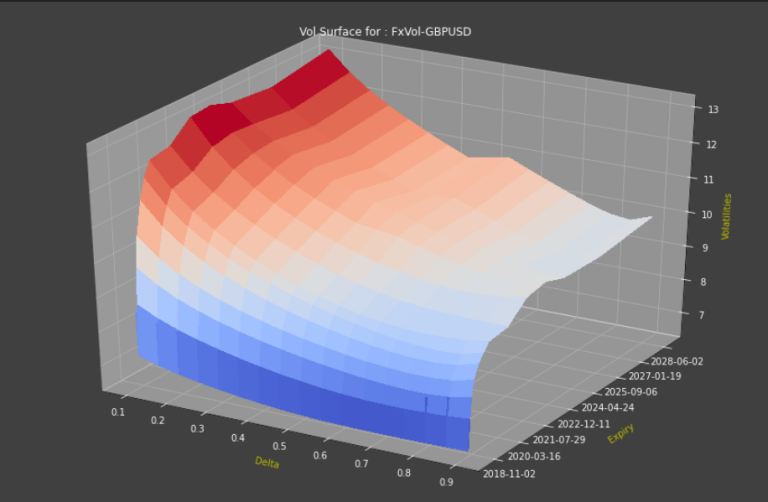
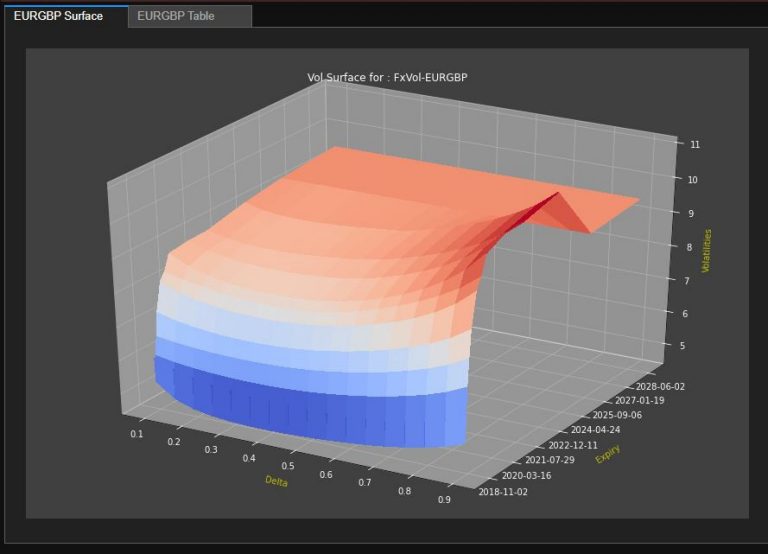
Now let’s plot our volatility surfaces:
Widget
(Credit to ac24)
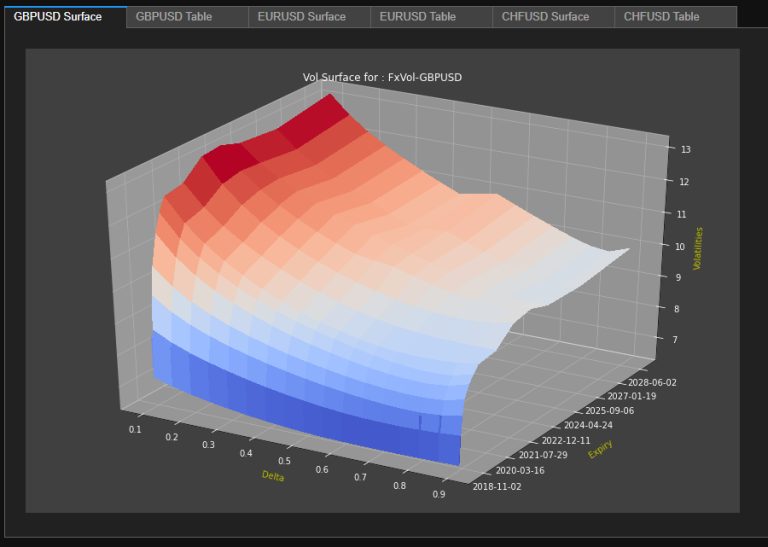
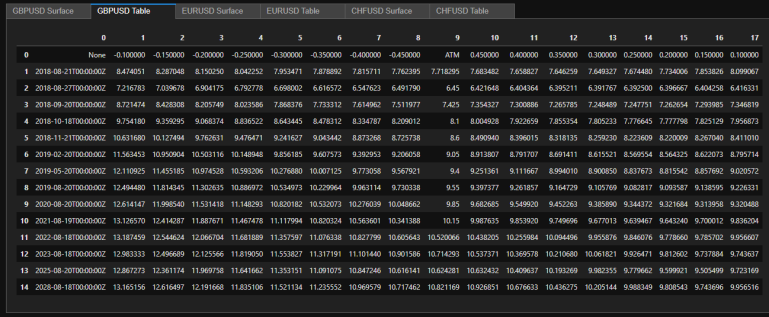
We can now look into incorporating our above graph in a widget that allows us to toggle between graph and data (in a table). This is a rudimentary example taken from CodeBook examples (in ‘__ Examples __/04. Advanced UseCases/04.01. Python Apps/EX_04_01_02__WFCH_Company_Income_Statement_Waterfall.ipynb’), but more complex ones can easily be constructed to fit your workflow.
SxS
We’ll need to create functions to be used subsequently in our code:
There is a great deal of code here, see GitHub for code
And finally, we can launch a Quote Tile
You can play with the Tile and see the kind of information we receive:
SxS & Widget
We’ll need to create functions to be used subsequently in our code:
Now we can launch our Tile-connected code:
References
You can find more detail regarding the APIs and related technologies/articles for this notebook from the following resources:
- Refinitiv Eikon Data API page on the Refinitiv Developer Community web site.
- Refinitiv Data API.
- Instrument Pricing Analytics — Volatility Surfaces and Curves
- How to display matplotlib plots in a Jupyter tab widget?
- Shout out to Evgeny Kovalyov and his work on the Refinitiv Side by Side API
For any question related to this article or Refinitiv APIs, please use the Developers Community Q&A Forum.
