/adobestock270964076.jpeg.transform/hero-xs/q82/image.jpeg)

Raksina Samasiri
Developer Advocate
Introduction
The LSEG Data Library for Python provides a powerful and flexible interface for accessing snapshot, historical, and reference data through the LSEG Data Platform. While the library is designed for ease of use, it also enforces important usage limits, throttles, and request caps to ensure fair and compliant access across all users.
This article explains what these limits are, why they exist, how can you work with large datasets without hitting errors, what to do if you need a lot more data than the API allows
This guide is helpful for users who
- Work with large instrument universes
- Retrieve multi‑year history
- Perform scheduled or high‑frequency extraction jobs
- Need to avoid throttling, server timeouts, and HTTP 429 errors
All limits referenced here are sources from the official Usage & Limit Guideline in the LSEG Data Library for Python documentation
1) Global Usage Limits (Apply to All Requests)
Requests per Second
- Limit: ~5 requests per second, aggregated across all applications sharing the same Workspace session.
- Recommendation: Pace requests at 3–4 requests per second to avoid hitting throttle mechanisms.
Response Volume per Minute
- Limit: ~50 MB per minute across the entire session.
Datapoints per Request
A “datapoint” = instrument × field × timestamp. For example, 50 instruments × 20 fields × 5 dates = 5,000 datapoints
From the official limits:
| Function | Approx. Maximum Per Request | Notes |
|---|---|---|
| get_data (v1.0.2 ≤) | ~10,000 datapoints | Hard limit enforced. |
| get_data (v1.1.0+) | No datapoint cap, but ~300s timeout | Large datasets should still be chunked. |
| get_history (interday) | ~3,000 rows | Applies regardless of number of instruments. |
| get_history (intraday) | ~50,000 datapoints | Expect higher row counts than interday. |
| news.get_headlines | History depth limited to 15 months. | - |
| news.get_story | 1 story per request | Must be requested individually. |
2) get_data
Limit Behavior
- Older version of the library (lseg.data version 1.0.2 and below)
- limited requests to ~10,000 datapoints.
- Newer version (lseg.data version 1.1.0 and above)
- No strict limit, but server timeouts ~300 seconds, which means server stops working after 300 seconds if the request is too big.
Safe Example (good for beginners and testing)

3) get_history
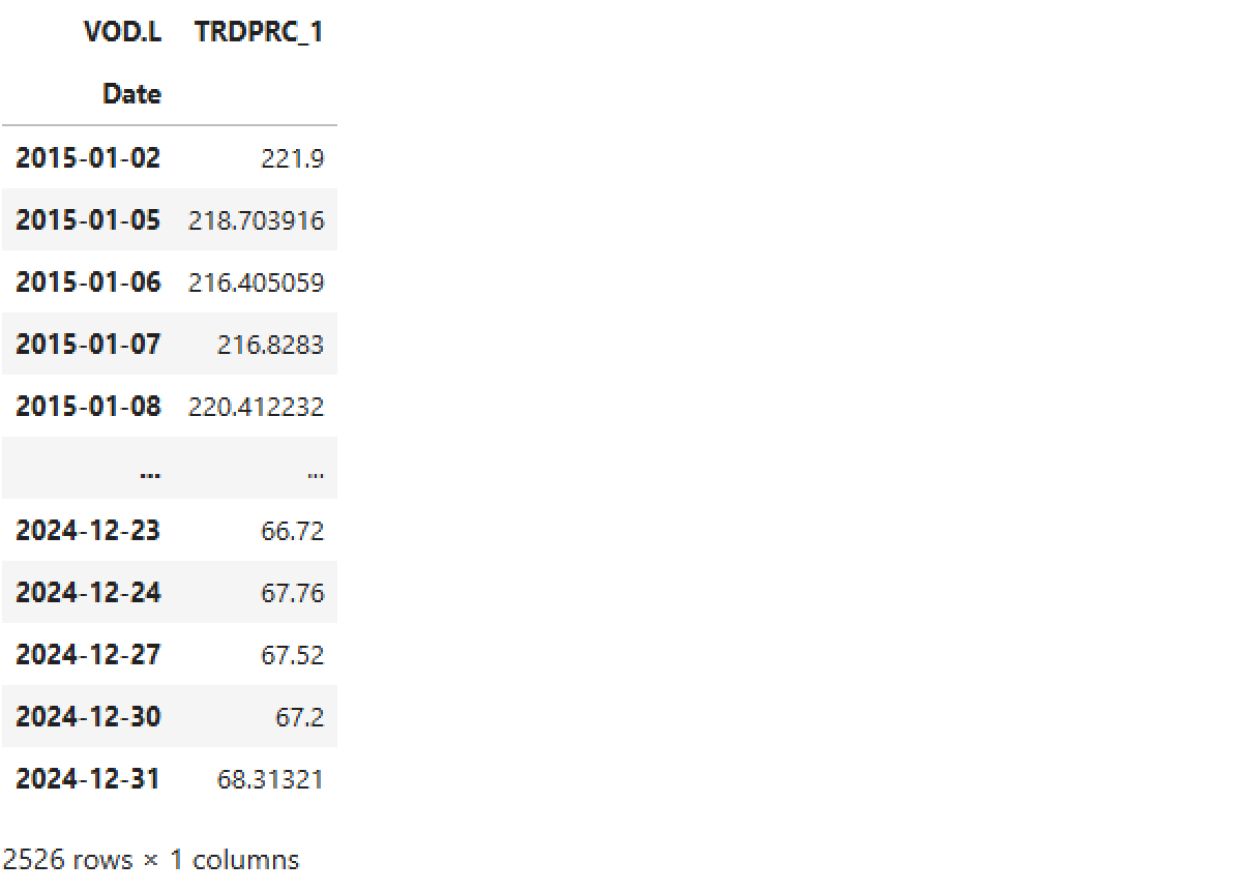
Interday History: Daily interval and above (daily, 1d, 1D, 7D, 7d, weekly, 1W, monthly, 1M, quarterly, 3M, 6M, yearly, 1Y)
- Cap: ~3,000 rows per request.
- Daily bars: ~251 trading days/year -> ~11-12 years per requests
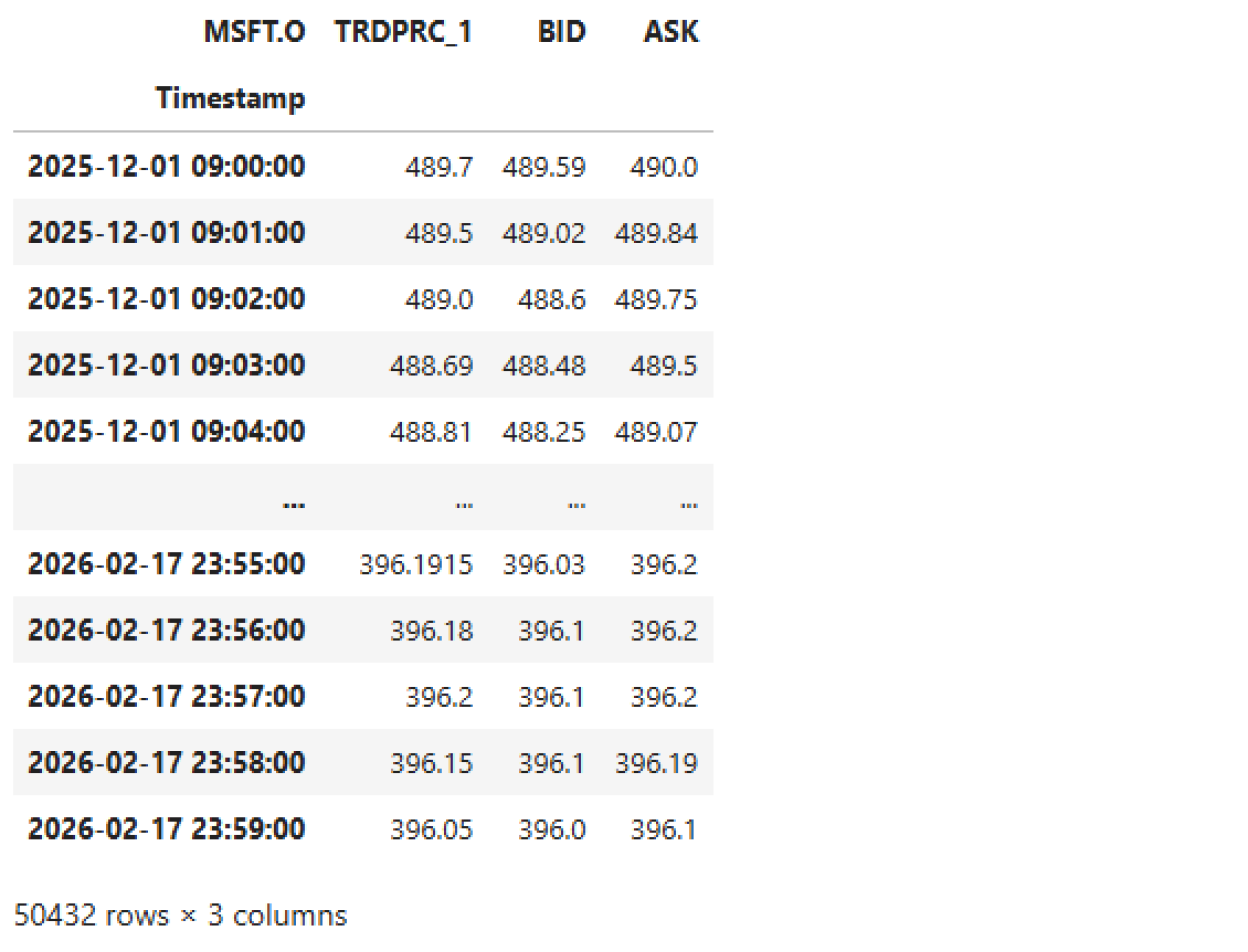
Intraday History: An hour interval and below (tick, tas, taq, minute, 1min, 5min, 10min, 30min, 60min, hourly, 1h)
- Cap: ~50,000 rows per request
- 1-minute bars: ~390 minutes/trading day-> limit to ~120-day windows
4) News Functions
news.get_headlines
- 15-month depth only

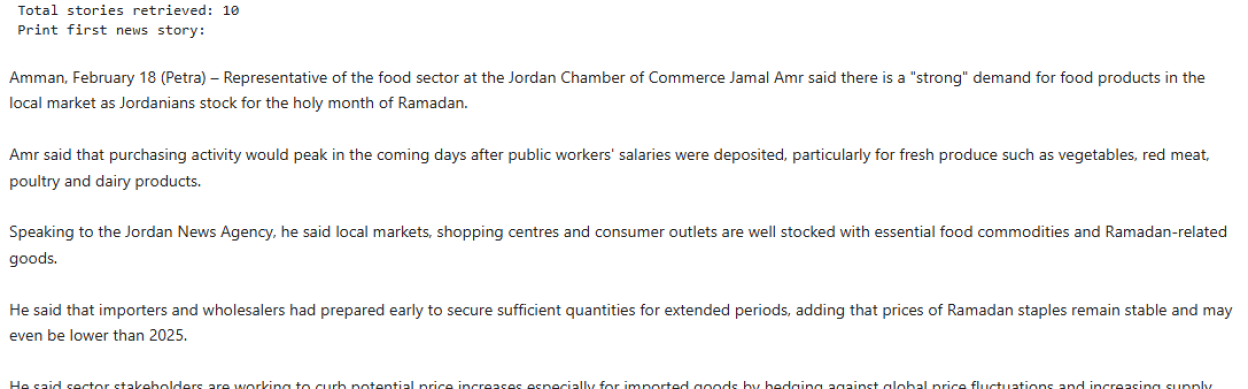
news.get_story
- 1 story per request
- Best retrieved by looping over story IDs with throttling.
5) How to Handle Errors (429, 503)
When limits are exceeded, the system will return:
- 429 Too Many Requests
- 503 Service Unavailable
You should follow this article to adjust your Python code and run it again. However, if daily limit is reached, you'll need to wait until midnight (your local time) for it to be reset.
To check your usage limits remaining, please check article Check LSEG Data Library for Python Usage Limits Remaining | Devportal
6) Tips for Safe High‑Volume Retrieval
- Throttle to ≤ 3–4 requests/sec
- Break requests into predictable windows
- Store data locally (Parquet/CSV) to avoid repeat downloads
- For multi‑million‑row workloads, use Tick History or other product instead, contact your LSEG representative regarding this
- These products are purpose‑built for high‑volume extraction.
- The Data Library is ideal for flexible programmatic access, not large‑scale data lake extraction.
Conclusion
The LSEG Data Library for Python offers a powerful and consistent way to access the LSEG Data Platform, but understanding usage limits is essential to avoid throttling, maintain performance, and ensure compliance. By correctly sizing requests, respecting rate limits, and using pagination and batching, you can build robust workflows for high-volume data retrieval.
For extremely large workloads- such as multi‑million‑row historical extracts - consider LSEG’s Tick History or other products, which are optimized for large-scale extractions.
If you need help choosing the right API for your workload, your LSEG account representative is available to assist, or you can go to MyAccount > LSEG Support > Product: Raise a case.
- Register or Log in to applaud this article
- Let the author know how much this article helped you
If you require assistance, please
contact us here
Get In Touch

Related APIs
Related Articles
-
Check LSEG Data Library for Python Usage Limits Remaining
-
The Data Library for Python - Quick Reference Guide (Access layer)
-
Step-By-Step Guide to install Data Library for Python using Virtual Environment
-
LSEG Data Library for Python: News Pagination
-
LSEG’s Refinitiv Data Library for Python and its Configuration Process
Source Code
Request Free Trial
Call your local sales team
Americas
All countries (toll free): +1 800 427 7570
Brazil: +55 11 47009629
Argentina: +54 11 53546700
Chile: +56 2 24838932
Mexico: +52 55 80005740
Colombia: +57 1 4419404
Europe, Middle East, Africa
Europe: +442045302020
Africa: +27 11 775 3188
Middle East & North Africa: 800035704182
Asia Pacific (Sub-Regional)
Australia & Pacific Islands: +612 8066 2494
China mainland: +86 10 6627 1095
Hong Kong & Macau: +852 3077 5499
India, Bangladesh, Nepal, Maldives & Sri Lanka:
+91 22 6180 7525
Indonesia: +622150960350
Japan: +813 6743 6515
Korea: +822 3478 4303
Malaysia & Brunei: +603 7 724 0502
New Zealand: +64 9913 6203
Philippines: 180 089 094 050 (Globe) or
180 014 410 639 (PLDT)
Singapore and all non-listed ASEAN Countries:
+65 6415 5484
Taiwan: +886 2 7734 4677
Thailand & Laos: +662 844 9576