

| New to the series? Start with the Series Index for setup, scope, and context. |
Vol. 1 was about writing a call that runs. Vol. 2 is about writing a call that means what you think it means. Getting useful data isn't just about picking the right field - it's about being precise on three fronts:
- the date window you're asking for
- the parameter you're passing
- where a calculation is performed
When all three are intentional, your call is answering exactly the question you asked. This volume shows you how to get there: choosing date logic that ages well, pushing calculations to the source when supported, knowing which parameters a field actually accepts, and applying the same precision mindset to filter news.
| Table of Contents |
|
Absolute vs. Relative Dates
| 💡Ask for "last x day" without hard-coding |
When fetching historical or period-based data, you'll describe your window in one of two ways: absolute (pinned to a specific point in the calendar) or relative (described from a moving anchor). The real productivity gain lives in the relative - your code stays evergreen whether you run it today or next year.
Absolute Dates - Pinned to the Calendar
Use absolute dates when the window is fixed and intentional - a specific reporting period, a backtest range, a regulatory snapshot.
| Format | Meaning | Example |
|---|---|---|
| YYYYMMDD | A specific calendar date | "20130131" |
| mm/YYYY | End of a specific calendar month | "01/2013" |
| CY[YYYY] | End of a specific calendar year | "CY2013" |
| [q]QCY[YYYY] | End of a specific calendar quarter | "2QCY2013" (end of Q2 2013) |
| [s]SCY[YYYY] | End of a specific calendar semi-annual period | "1SCY2013" (end of H1 2013) |
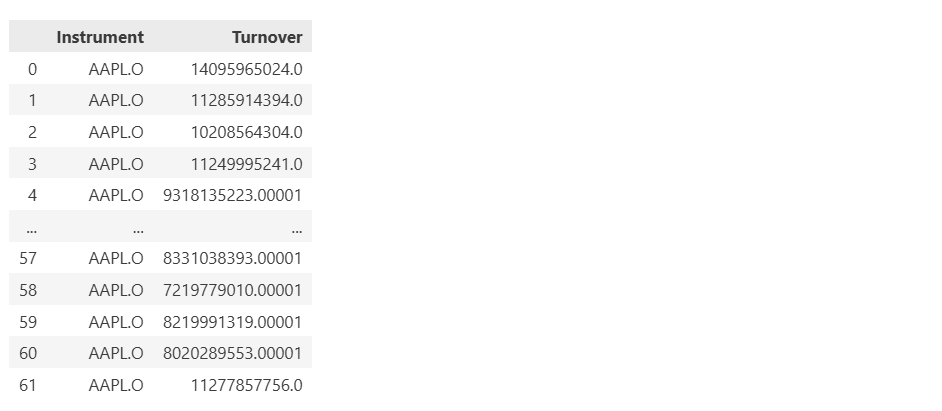
✅ Reproducible - reruns always return the same window.
Relative Dates - Described From a Moving Anchor
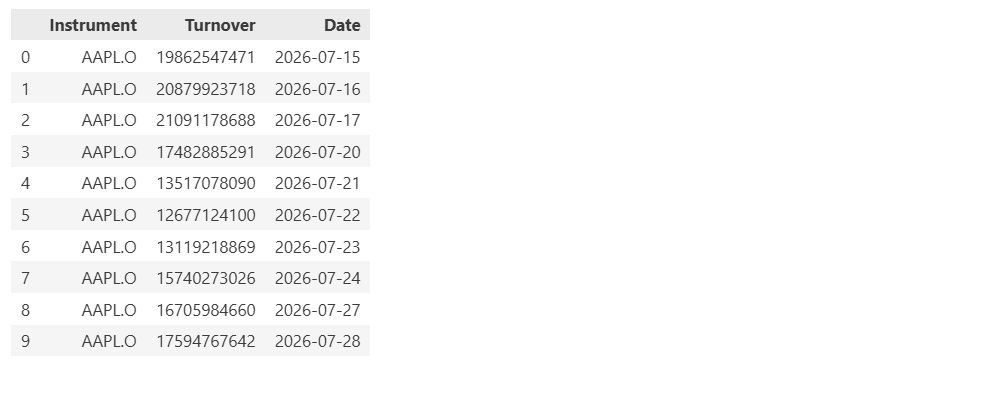
Instead of hard-coding dates, describe them relative to today or relative to a reporting boundary. The anchor shifts automatically every time the code runs.
There are three flavours - pick the one that matches what "now" means for your use case.
1. Relative to Today
Anchor to the exact current date. Use these when you want data measured from right now - not from the end of a period.
| Format | Meaning | Example |
|---|---|---|
| [n]D | n days ago | -7D = 7 days ago |
| [n]AW | n weeks ago | -1AW = 1 week ago |
| [n]AM | n months ago | -3AM = 3 months ago |
| [n]AQ | n quarters ago | -1AQ = 1 quarter ago |
| [n]AY | n years ago | -2AY = 2 years ago |
2. Relative to the End of a Reporting Window
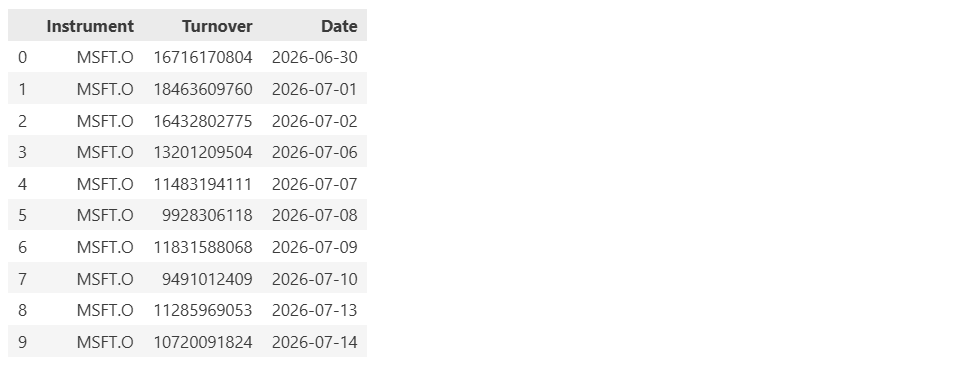
Snap to clean period-end boundaries rather than arbitrary days. Use these when "last month" should mean the last complete month - not 30 days ago.
| Format | Meaning | Example |
|---|---|---|
| [n]W | n weeks from end of last week | -1W |
| [n]M | n months from end of last month | -4M |
| [n]Q | n quarters from end of last quarter | -1Q |
| [n]Y | n years from end of last year | -2Y |
-1AW vs -1W - a subtle but important difference:
- -1AW = exactly 7 days ago from today.
- -1W = the end of the previous complete week (snaps to the week boundary).
Both look almost right. Only one is what you actually meant.
3. Relative Calendar Period Dates
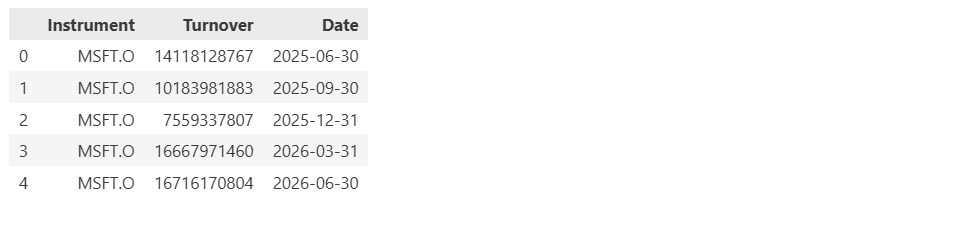
Use 0 for the current or most recent period, -1 for the one before it. Ideal for "give me the last complete quarter" queries - where you want a clean period, not a partial one.
| Format | Meaning | Example |
|---|---|---|
| [n]CY | Calendar year end | 0CY = current year; -1CY = last year |
| [n]CQ | Calendar quarter end | 0CQ = current quarter; -1CQ = last quarter |
| [n]CS | Calendar semi-annual end | 0CS = current half-year |
| [n]CM | Calendar month end | 0CM = current month; -1CM = last month |
Things to keep in mind
"Frq": "CQ" tells the API to return one data point per Calendar Quarter. If you omit Frq, the API falls back to the default frequency based on the field, which for TR.Revenue is typically daily and you would get 250-300 daily rows covering the same date range.
Full short-code reference: In DIB, find your field → Parameters tab → As of → click the ? icon for the complete list of valid expressions and defaults.
Embedded Calculations
| 💡Let the server do the math |
When a pre-calculated field isn't available, the natural instinct is to pull raw inputs and compute in pandas. With the LSEG Data Library, you can often skip that step entirely - calculations can be embedded directly inside the fields list and evaluated server-side before the response ever reaches you.
Less local code. Less data on the wire. Less clean-up afterward.
A complete example:

The last field returns dividend yield - computed from the two inputs, entirely within the API call, without a single line of local arithmetic.
Thing to keep in mind
- Embedded calculations work exclusively with TR.* fields - real-time fields like BID, ASK are out of scope.
- Always set Curn=, Scale=, Period= etc., consistently on both inputs before calculating - the server returns a confident number regardless, so alignment is your responsibility.
For more context, see Vol. 1 → Inline vs. Global Parameters and the Dates section for how to anchor your inputs correctly.
Know Your Parameters
| 💡Read a field's real capabilities in the DIB |
Vol. 1 covered how to pass a parameter. This section is the step before that: knowing whether a field accepts one in the first place.
Parameters vary field by field - and the authoritative source is the Data Item Browser (DIB).
The DIB in LSEG Workspace is the complete catalogue of available fields - searchable by content classification or asset class - with full definitions, supported parameters, and valid values all in one place.
To explore it, open LSEG Workspace and search for DIB using the search bar.
Once you've found your field, two tabs tell you everything you need:
For more context, see Vol. 1 → Field Propagation
Putting it together:

Things to keep in mind
- Unsupported inline parameters will raise an error - a useful signal that you've caught a mismatch early.
- Unsupported global parameters are silently ignored.
For more context, see Vol. 1 → Inline vs. Global Parameters.
Filtering News Headlines
| 💡Query news the way you query data |
News is vast - but your queries don't have to be. The ld.news.get_headlines() function gives you precise control over what you fetch, so you're finding the signal, not sifting through noise.
Meet Your Reference Guide : The TOPICS App**
Every news item on LSEG is tagged with topic codes - compact identifiers that classify headlines by subject, region, industry, and category. These codes are the key to surgical-precision filtering.
To explore all available topic codes, open LSEG Workspace and search for TOPICS using the search bar. It's a fully searchable directory - find the code you need, drop it into your query, and you're done.
Building a Query, One Filter at a Time:
Start broad and progressively narrow down - each filter stacks cleanly on the last:
| Query | What it Returns |
|---|---|
| India | Any headline related to India |
| India AND Language:LEN | India headlines in English |
| India AND topic:[INNVTN] AND Language:LEN | India headlines in English tagged with the Innovation topic |
Pro tip: Combine multiple topics using the OR operator to cast a wider - but still intentional - net across related themes.
Putting It Together:
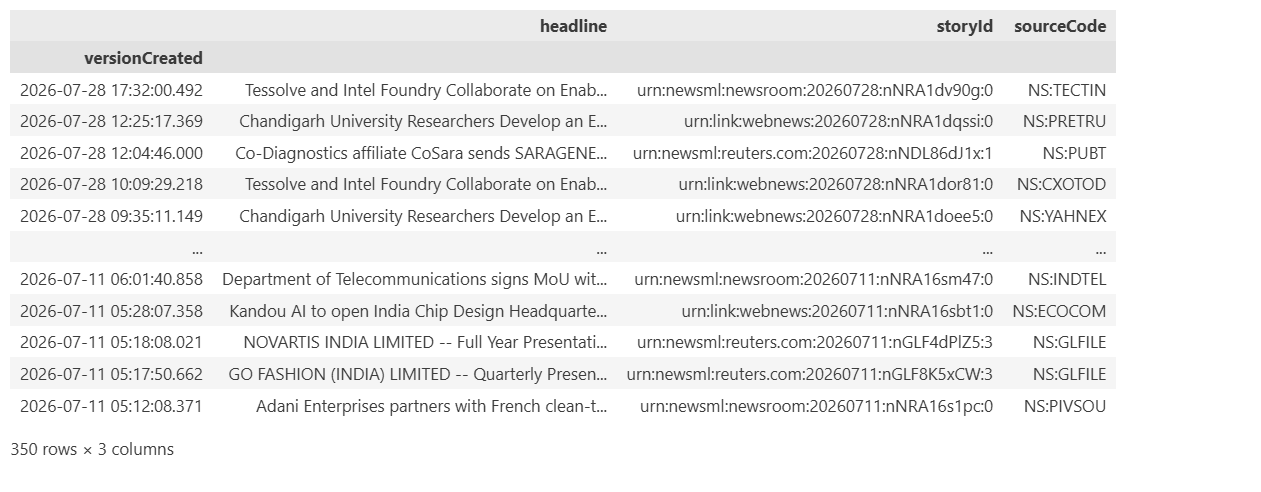
This query fetches up to 350 English-language headlines from India's innovation space - clean, focused, and ready to analyse.
Things to keep in mind
- Default count is 10 - always set it explicitly when you need more.
- Combine topics with AND only when they genuinely co-exist; conflicting topic pairs will return no results.
- You can use RICs in your query either directly or in the R:<ric> format.
That's precision.
The difference between data that arrives and data that answers your question comes down to the choices covered in this volume: selecting the right time window, the right parameter, and the right place to perform calculations. Adding news can further enrich the picture by providing context and deeper insights.
Up Next:
| ← Vol. 1 Calls That Do More (The mechanics underneath every request that makes the difference) |
Vol. 3 Calls That Survives Scale → (Patterns for calls that grow beyond a handful of instruments or fields) |
- Register or Log in to applaud this article
- Let the author know how much this article helped you

Related APIs
In This Series
Related Articles
-
Check LSEG Data Library for Python Usage Limits Remaining
-
The Data Library for Python - Quick Reference Guide (Access layer)
-
Step-By-Step Guide to install Data Library for Python using Virtual Environment
-
LSEG Data Library for Python: News Pagination
-
LSEG’s Refinitiv Data Library for Python and its Configuration Process