
-
 Chavalit JintamalitDeveloper Advocate
-
 Wasin WaeosriDeveloper Advocate
Overview
When investing in a retirement fund using DCA(Dollar-Cost Averaging) strategy, does it perform better than the inflation rate?
In this project, we will find out what is the past inflation rate in Thailand using the Data Library for Python to consume data from the Workspace Desktop application.
Then we will find out how the DCA on a fund performs and plot a bar chart to compare the average return against inflation.
Introduction to the Data Library for Python
The Data Library for Python provides a set of ease-of-use interfaces offering coders uniform access to the breadth and depth of financial data and services available on the Workspace, RDP, and Real-Time Platforms. The API is designed to provide consistent access through multiple access channels and target both Professional Developers and Financial Coders. Developers can choose to access content from the desktop, through their deployed streaming services, or directly to the cloud. With the Data Library, the same Python code can be used to retrieve data regardless of which access point you choose to connect to the platform.
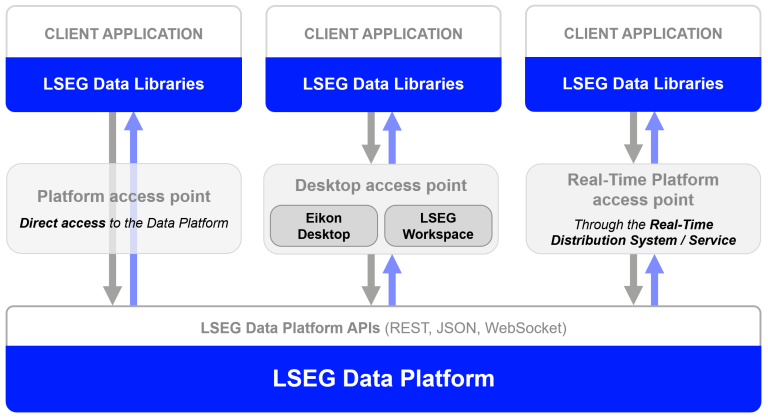
The Data Library are available in the following programming languages:
For more deep detail regarding the Data Library for Python, please refer to the following articles and tutorials:
Disclaimer
This article is based on Data Library Python versions 2.1.1 using the Desktop Session only.
The Coding part
Step 1: Import Data Library and other libraries
The next step is call the Data Library open_session() function to start a session with the Workspace Desktop application. You should have input your Workspace App-Key in a lseg-data.config.json configuration file in the same location as Python application file.
Please note that the LSEG Workspace desktop application integrates the API proxy that acts as an interface between the Data library and the Workspace Platform. For this reason, the Workspace application must be running when you use the Data library with Desktop Session.
Step 2: Find out the inflation rate.
We use the Data Library get_history() function to get inflation rate historical data.
This function returns data as DataFrame object.
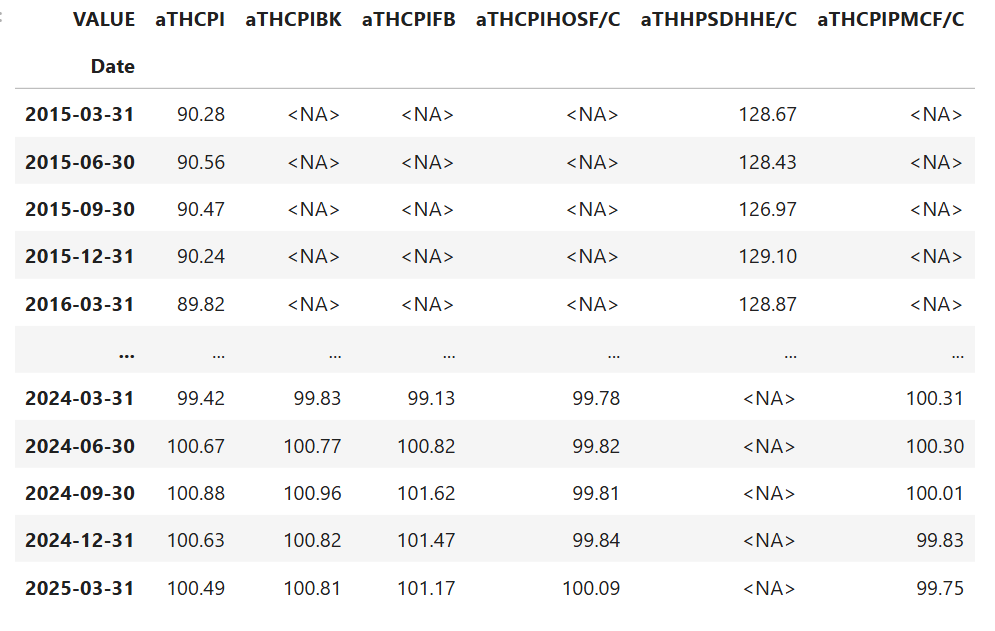
To make this DataFrame object easier to read, we rename all columns names. Now we got the price indexes.
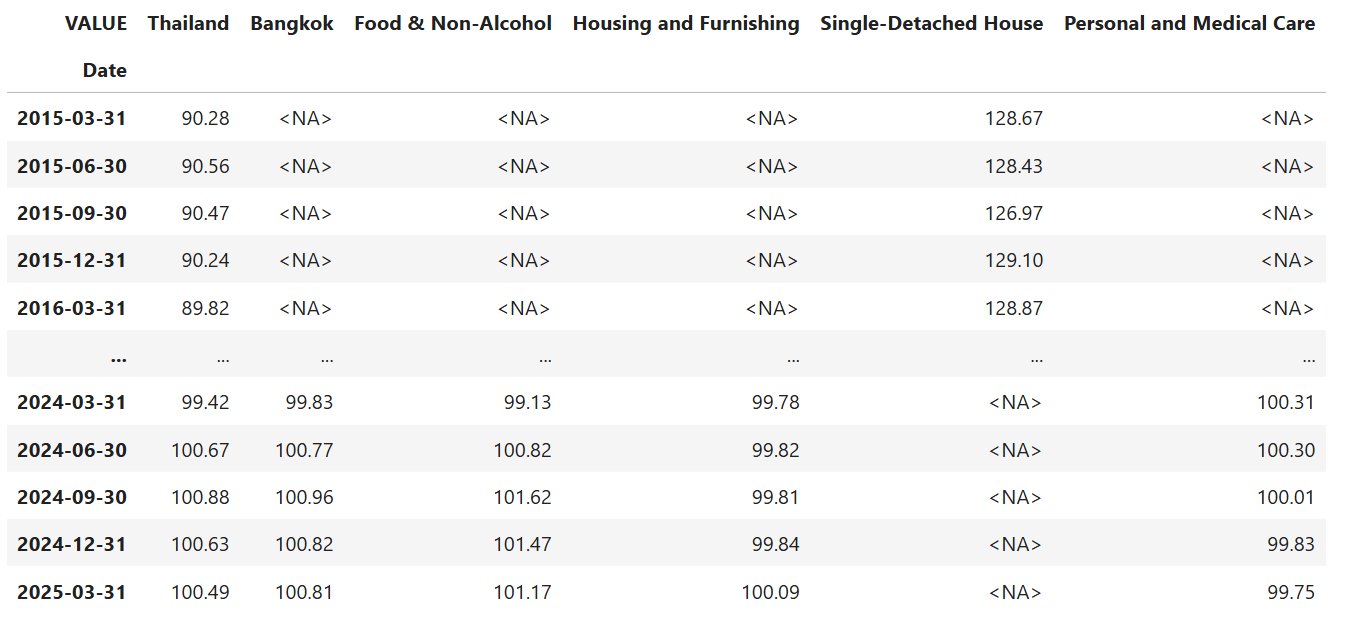
Next, we convert them to percent changes per year.

Step 3: Retrieve Fund NAV for the past years.
I am using Fidelity Advantage Pf Fd-Hong Kong Equity-Ord (RIC Code: LP63500988) as an example Fund data.
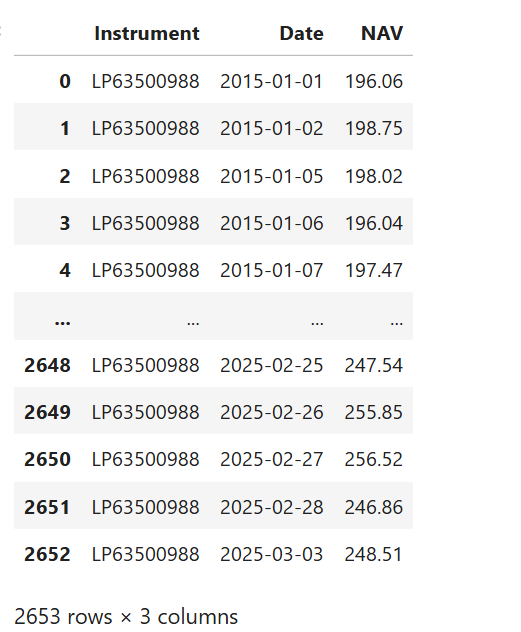
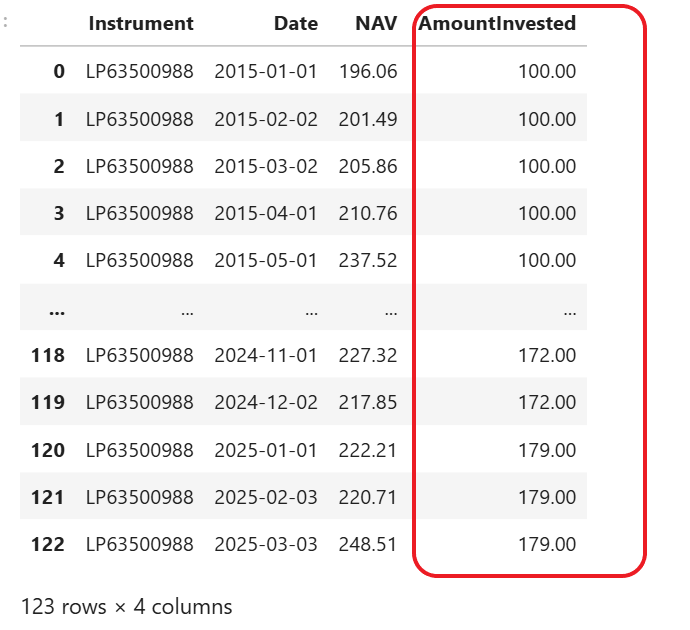
Step 4: Define your past contribution.
Please note that these are sample numbers which include random increment per year.
Step 5: Fill contribution data into NAV DataFrame using the date.
If the date could not be found in NAV DataFrame, add 1 day to the date (until the NAV is found). Then remove all the rows without a contribution.
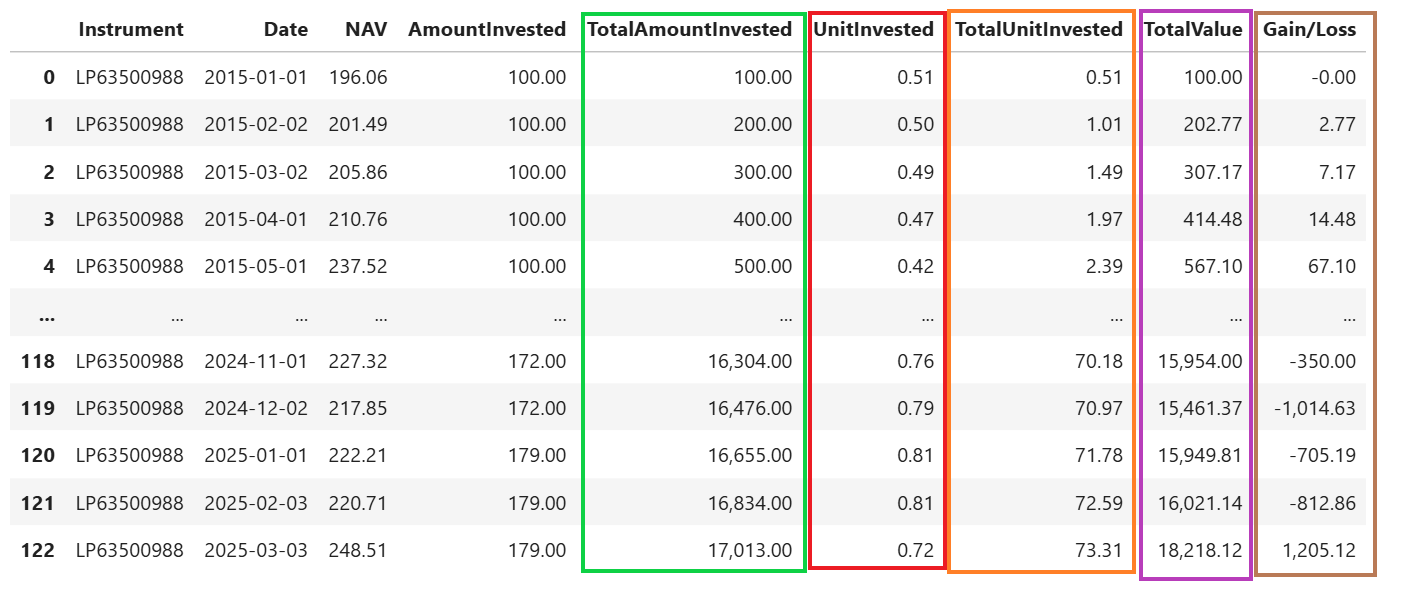
Step 6: Add calculated data to the DataFrame. They are Total Amount Invested, Unit Invested, Total Unit Invested and Gain/Loss columns.
Once you complete this step, you are able to see how much you gain(or loss). But this still does not give you the idea of how much it grows per year on average.
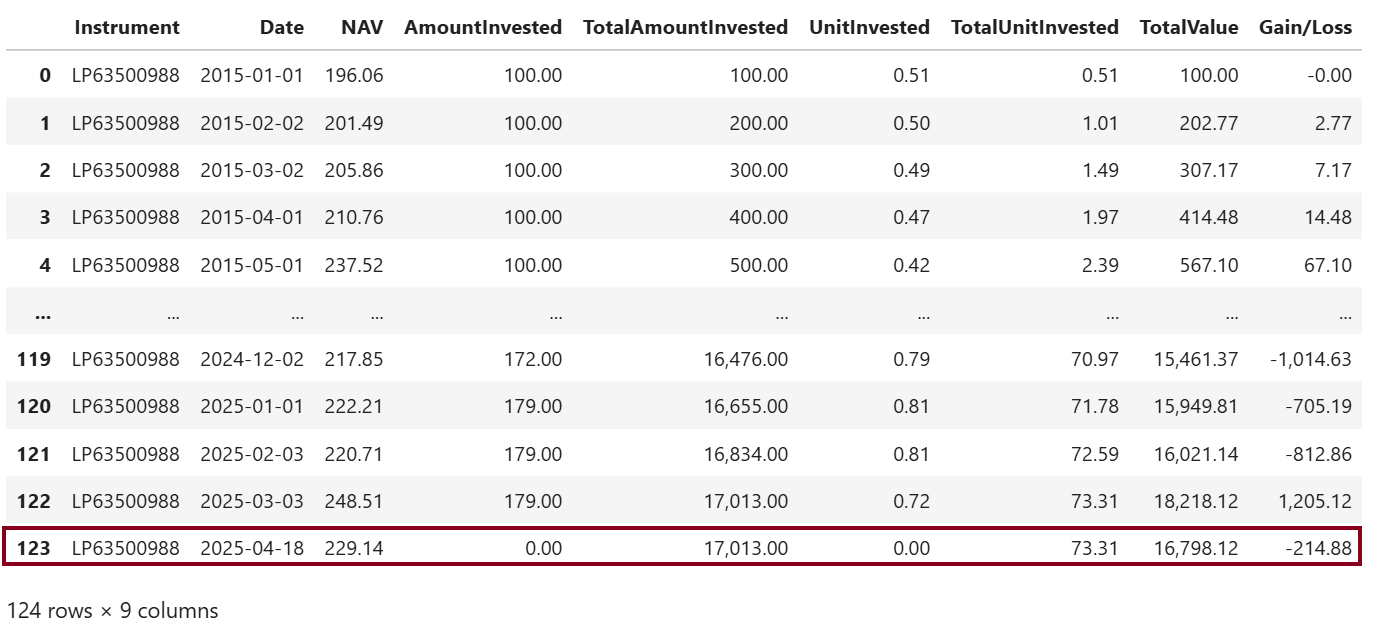
Step 7: Get current NAV

Append it to the previous Fund DataFrame object.
Step 8: Define xirr() function
This XIRR is the internal rate of return for a schedule of cash flows that is not necessarily periodic.
Step 9: Prepare data from DataFrame for the xirr() function
We calculate xirr with our data.

Step 10: Compare between Inflation and Average Return
First, let add "Return" to the CPIs DataFrame.
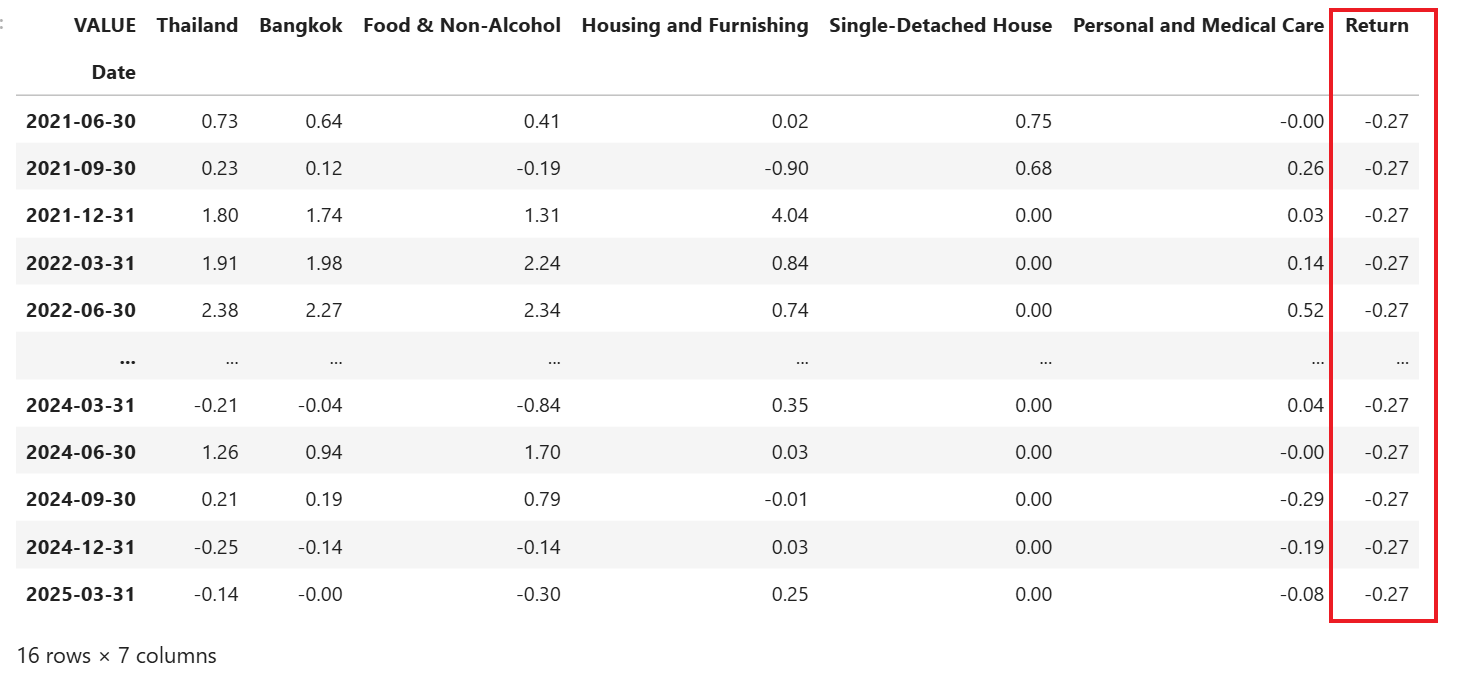
Next, plot bar chart to compare the inflation rates and average return.
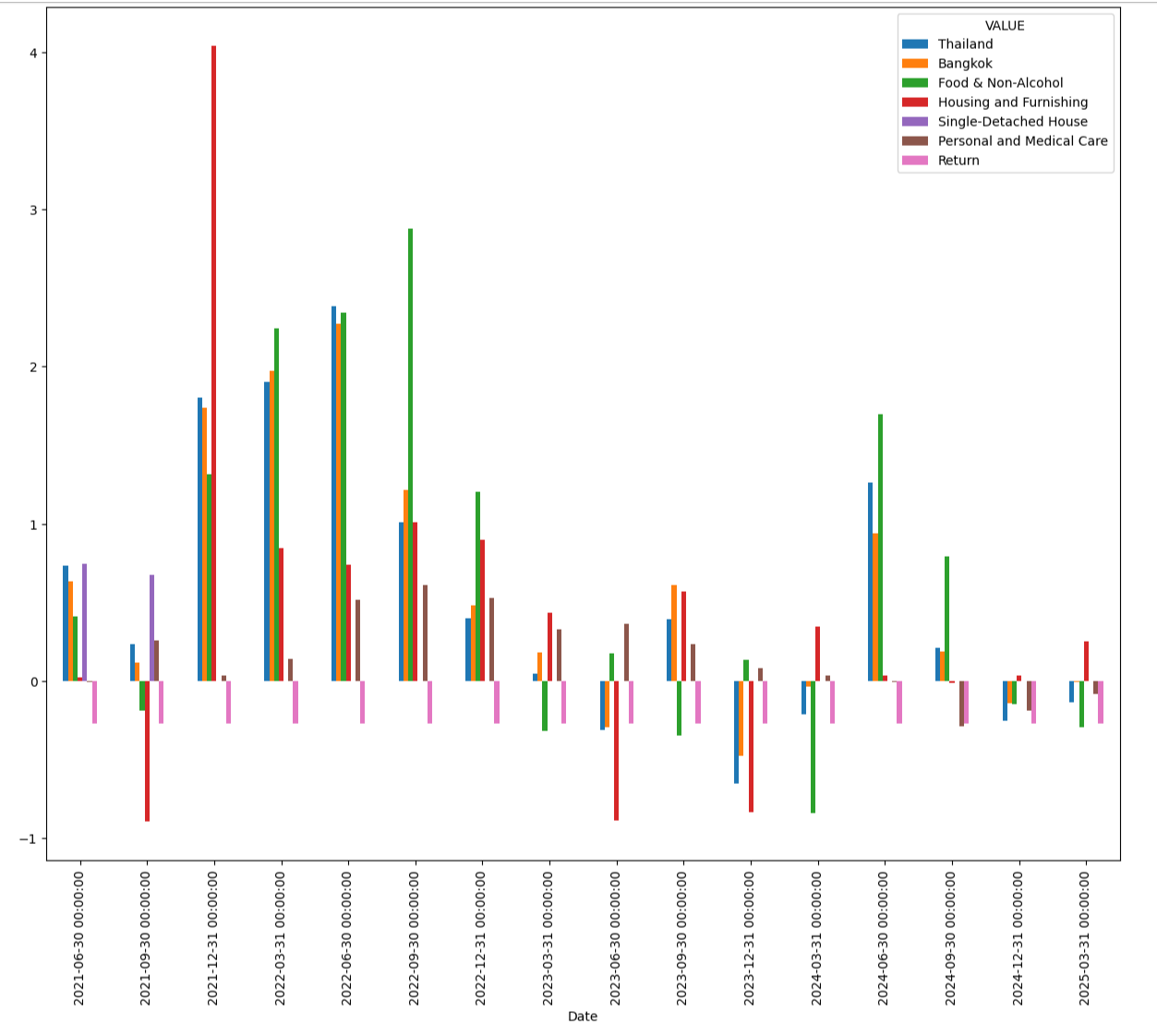
You can see from the bar chart that the average return from the sample DCA investing on "LP63500988" fund usually lost against inflation.
You can try running this Jupyter Notebook sample using your own contribution data and use the actual fund you are DCA investing in.
The final step is closing the Workspace session.
References
You can find more detail regarding the Data Library and related technologies for this Notebook from the following resources:
- LSEG Data Library for Python on the LSEG Developer Community website.
- Data Library for Python - Reference Guide
- The Data Library for Python - Quick Reference Guide (Access layer) article.
- Essential Guide to the Data Libraries - Generations of Python library (EDAPI, RDP, RD, LD) article.
- Upgrade from using Eikon Data API to the Data library article.
- Data Library for Python Examples on GitHub repository.
- XIRR function
- XIRR function in Python.
For any question related to this example or Data Library, please use the Developers Community Q&A Forum.

