
Refinitiv Data Platform APIs
How To Identify And Request ESG Bulk Content - Python

Introduction
The main points to look for in the article:
- How to authenticate with RDP
- Approaches to identifying the required ESG Bulk files
- How to stream the identified files to one's desktop
Introduction to ESG Dataset and Refinitiv Data Platform Service
ESG stands for Environmental, Social and (Corporate) Governance data.
Refinitiv Data Platform (RDP) provides simple web based API access to a broad range of content, including ESG content and ESG content in bulk.
With growing popularity of socially conscious investing, Refinitiv offers one of the most comprehensive Environmental, Social and Governance (ESG) databases in the industry, covering over 80% of global market cap, across more than 450 different ESG metrics, with history going back to 2002. Customers looking to download our ESG content can do so through our bulk API service in Refinitiv Data Platform (RDP). RDP is a cloud based API that provides a single access point to all Refinitiv content.
ESG data is the first content made available in our bulk API service known as Client File Store (CFS). This capability allows our customers to download our entire history of ESG coverage. To more about how the ESG Bulk Service works in Refinitiv Data Platform, please visit:
https://developers.refinitiv.com/refinitiv-data-platform/refinitiv-data-platform-apis/docs
Within RDP family of service, ESG Bulk is part of Client File Store (CFS) - based section of service, find out more at:
https://developers.refinitiv.com/en/api-catalog/refinitiv-data-platform/refinitiv-data-platform-apis
Let us now focus on the programmatic interaction with ESG Bulk RDP service.
Python Environment
For the purpose of demonstration, we are going to use Python 3.7 and Jupiter Lab
Valid Credentials - Replace in Code or Read From File
Valid RDP credentials are required to interact with an RDP service.
We include two ways to supply the valid credentials.
- One is, to replace the placeholders in code, "VALIDUSER" ... with the valid personal credential values. To enact, comment out the call to read cred from file:
#readCredsFromFile("..\creds\credFileHuman.txt")
- The other way is to store a set of valid RDP credentials in a file that is stored in path "../creds" in file "credsFileHuman.txt" and have the code retrieve the credentials from the file.
The file is expected to be in simple format one entity per line:
Define Token Handling and Obtain a Valid Token
Having a valid token is a pre-requisite to requesting of any RDP content, and will be passed into the next steps. For additional information on Authorization and Tokens, refer to RDP Tutorial: Authorization - All about tokens.
The implementation steps that come next may look familiar, as with some variation they come up repeatedly, with any RDP service interaction.
Request Available FileSets
The purpose of ESG bulk service is obtaining ESG content in bulk. The content is available as:
- A full JSON data file containing history for all measures and all organizations.
- A delta JSON data file that contains only incremental changes to the universe since last week.
A customer can examine the available File Sets that are permissioned to them, and is expected to:
- Build the initially available ESG content set/representation with the full files
- Apply delta, changes, as they become available
- Fill the gap in ESG content, if the retrieval was not completed, and the content that was missed remains available
This step serves to verify the permissioned type of the file, for example:
- ESGRawFullScheme
- ESGScoresFull
- ESGScoresWealthFull
Paginate Through the Available FileSets
This step allows to see what filesets are presently made available, as this can change overtime.
Retrieve FileSets of Specific File Type (Filter By Attribute)
The file types may change over time, at the time of this writing, the available FileSets are of types:
- ESG Raw Full A
- ESG Raw Full B
- ESG Raw Current A
- ESG Raw Current B
- ESG Sources
- ESG Raw Wealth Standard
- Symbology Cusip
- Symbology SEDOL
- Symbology Organization
- Symbology Instrument Quote
So if we wish to request only "Symbology Cusip" filesets, we go:
From the output we select File Id of the file or files that we are interested in downloading. for example:
Or if we wish to filter by Package Id (this is a recommended approach, enter and use PACKAGE_ID from the package IDs permissioned to your user id and supplied to you by your Refinitiv contact):
The results are made available in parsed json view:
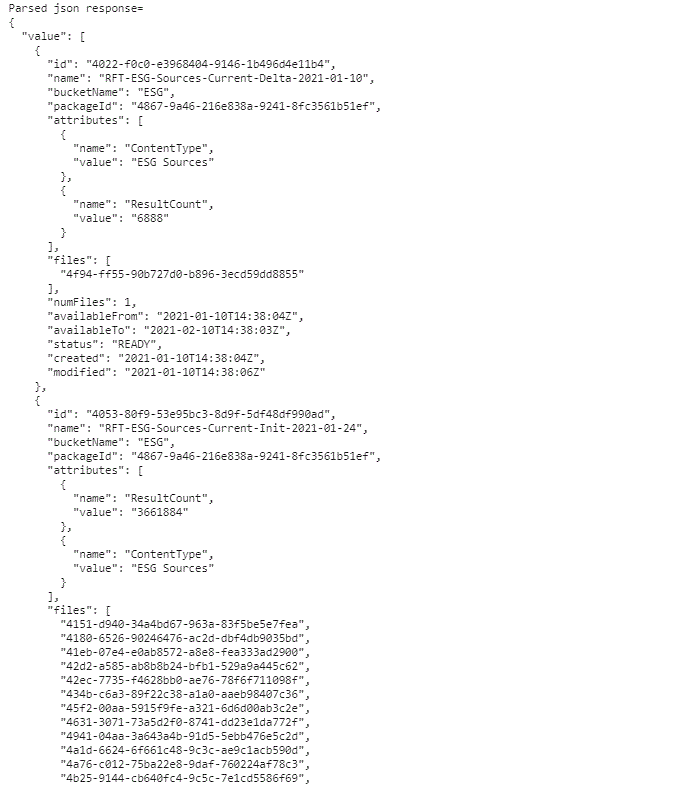
As well as tabular view by structuring into pandas dataframe:
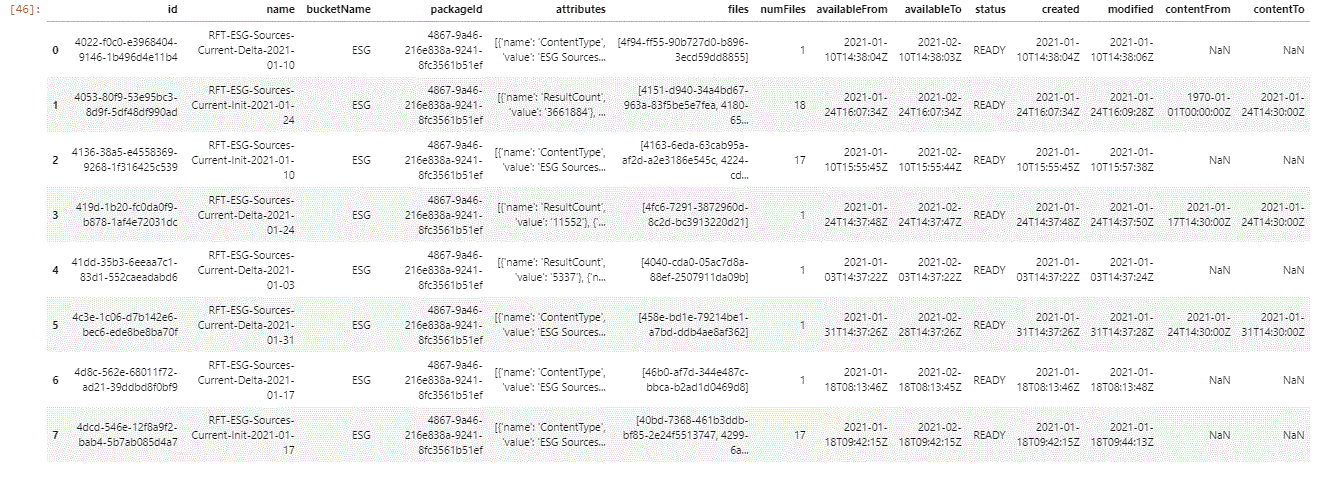
Retrieving Complete File Details of a FileSet
Once we have identified the FileSet id for the FileSet that we are interested in, we request the complete details, so we can learn the specific File ids and their corresponding File names.
There are two ways of downloading the files:
Stream File via FileId using Redirect
This is a single request approach to obtaining the required file
Please note at the end of the code snippet, how we can call either with hard-coded exampleFileId and exampleFileName or we can enter FILE_ID and FILE_NAME via variable. Use the preferred approach.
Or
We can first obtain the direct file download URL (or multiple URLs) and then download the files explicitly, from URLs:
Get File Location (Step 1 of 2)
Let us now examine a very common use case
Select the Latest ESG FileSets (Init and Delta) as of Last Sunday per PackageId
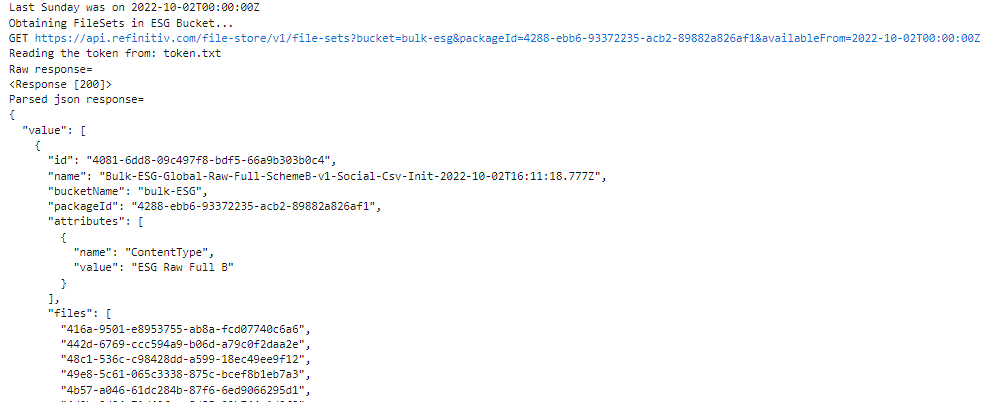
now that we have identified the FilesEts that we require, we are able to iterate over the identified files and request them for download:
Iterate over Latest ESG FileSets and Request the Latest ESG Files (Init and Delta)
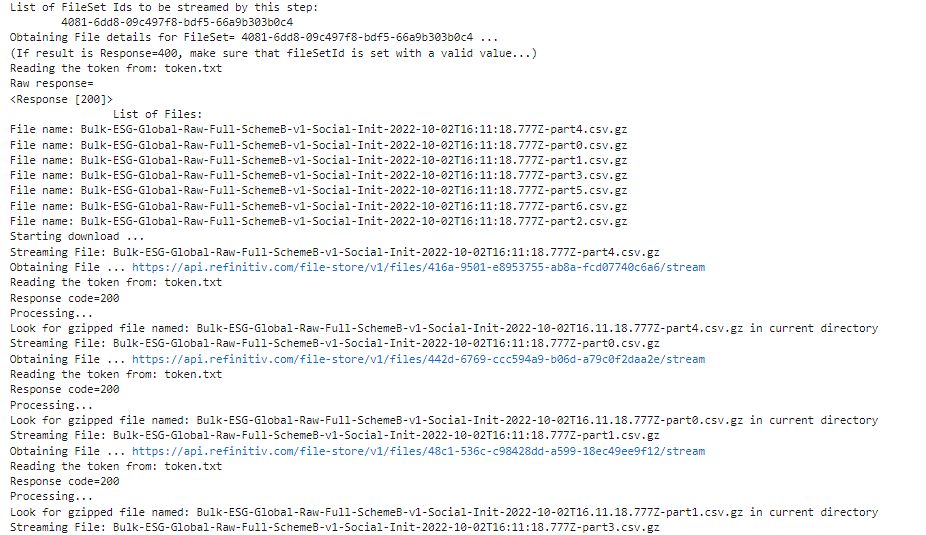
This article is brought to developers in collaboration with ESG Bulk product management team.
And next, would like to leave off with relevant ESG Bulk information:
Example.RDPAPI.Python.ESGBulkIntroduction