
-
 Raksina SamasiriDeveloper Advocate
-
 Vetit SirasupparakchaiCustomer Success Manager
-
 Jirapongse PhuriphanvichaiDeveloper Advocate
This article demonstrates how to retrieve Top News Energy headlines and stories using Python code with LSEG Data Library for Python.
What is Top News Energy?
Top News Energy presents the biggest energy stories that are moving markets and making headlines worldwide in an easy-to-use format. The content is updated 24/7 by dedicated and experienced global and local editors.
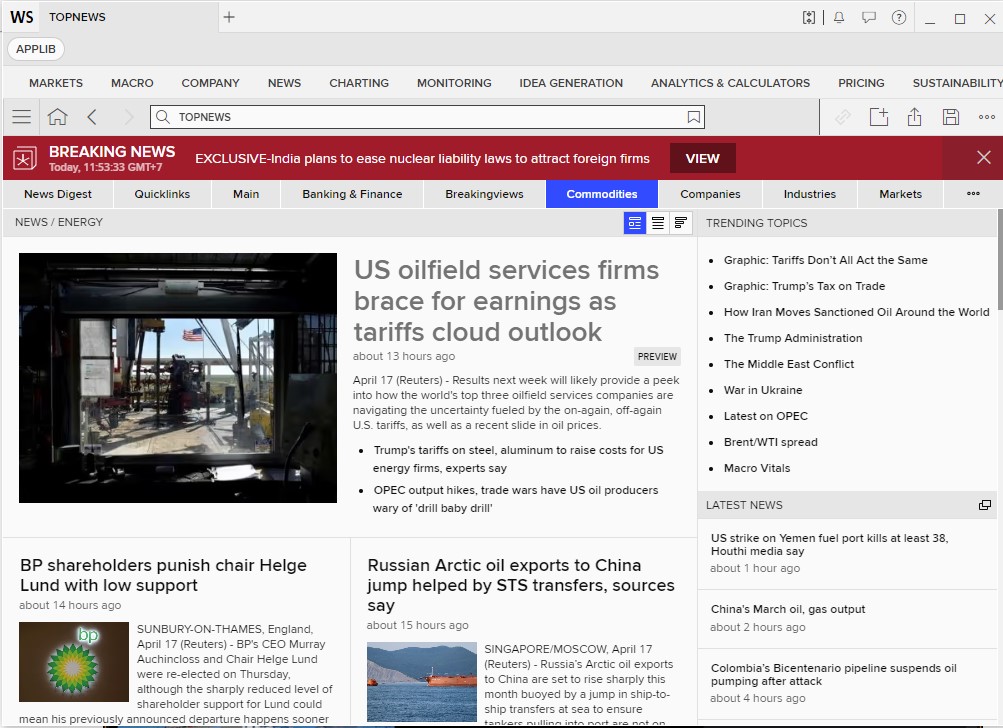
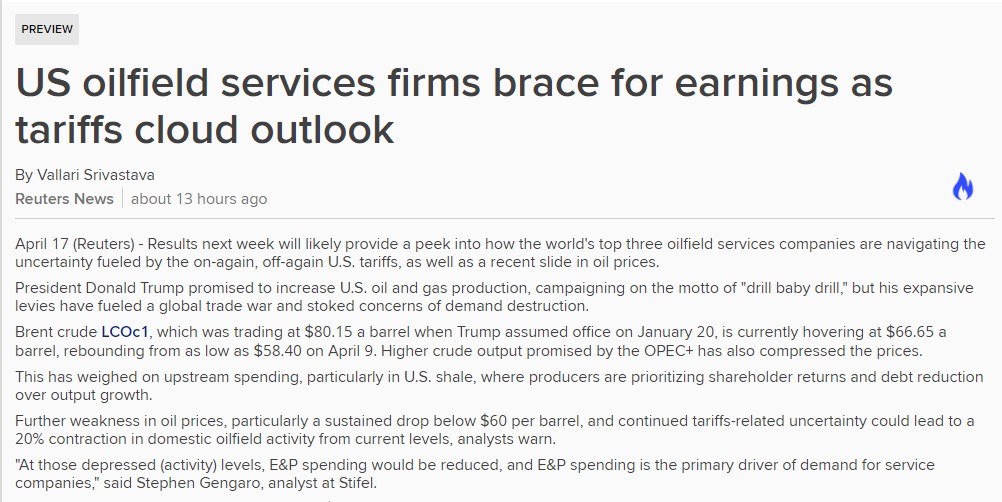
To access Top News Energy, type “TOP/O” in the Search box
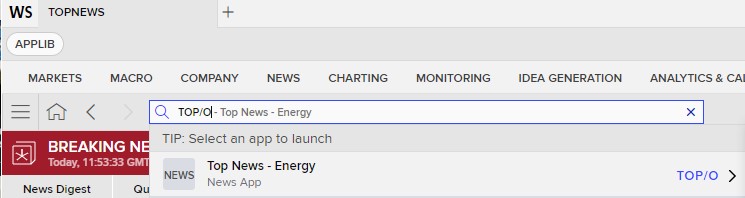
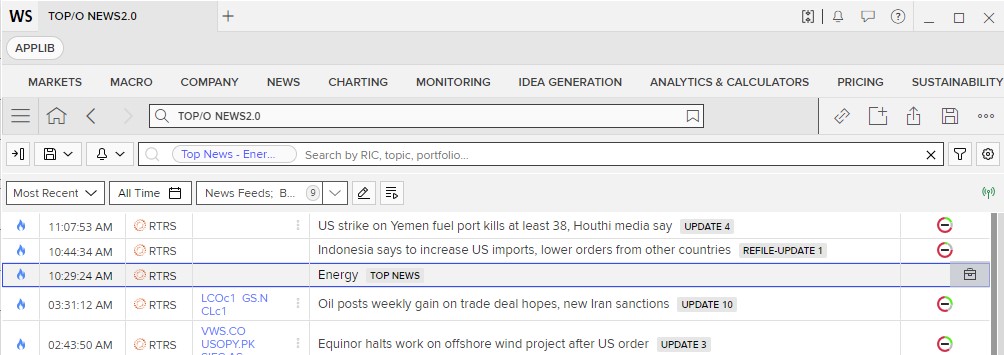
Then click on the headline Energy TOP NEWS to access it
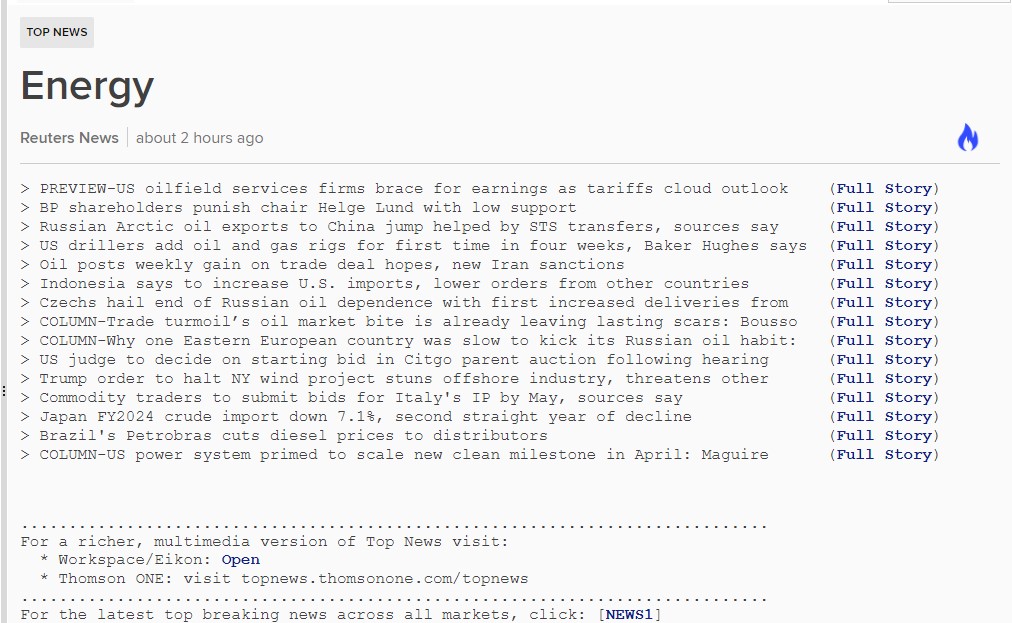
Here's an example after clicking Full story of the first News headline
Prerequisite
You may contact your LSEG’s representative to help you to access the product
- LSEG Data Library for Python
- LSEG workspace is running on your machine when running the notebook application
- For how to start using LSEG Data Library for Python, you can follow its QuickStart guide
- Jupyter Lab or Jupyter Notebook application is installed and ready to use
- You could use Codebook as well
Required python libraries and their version:
Python version 3.12.8 is being used here
You may download requirements.txt from this repository then use the command pip install -r requirements.txt to install required libraries
- lseg-data
Let's get started!
Step 1) import the necessary Python libraries and set the App Key
This Quick Start guide contains the step to create an App Key
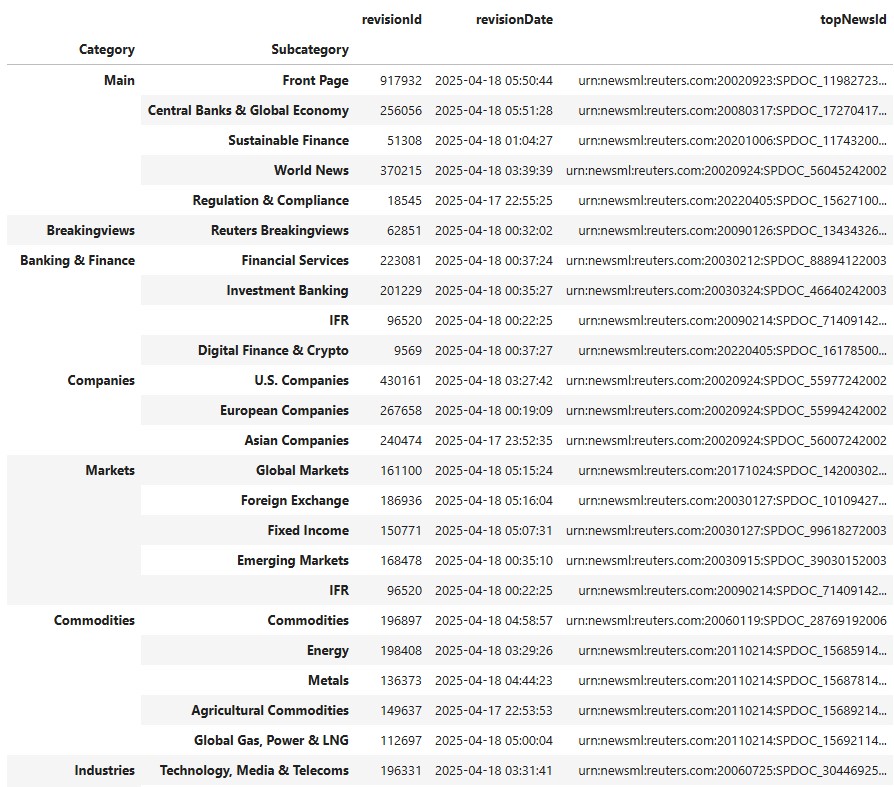
Step 2) Get the Top News Hierarchy
Get the Top News Hirarchy that lists all top news' categories.
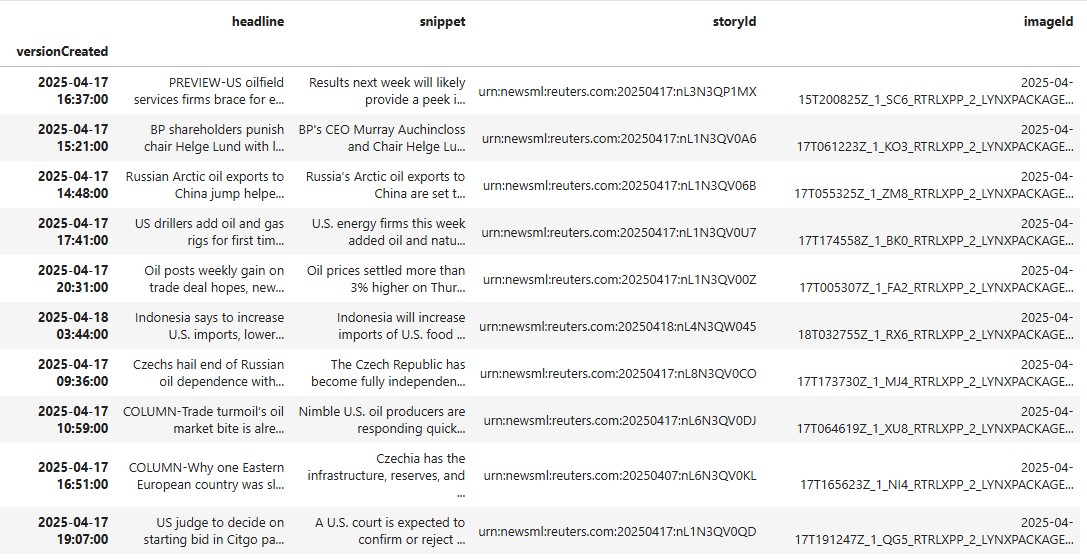
Step 3) Get the News headlines of TOP NEWS Energy
Get the topNewsId of the Commodities/Energy and then use it to retrieve the energy's top news
Step 4) Get the Top News stories and images
Each news headline contains a storyId and imageId. The following code can be used to retrieve a story and image.
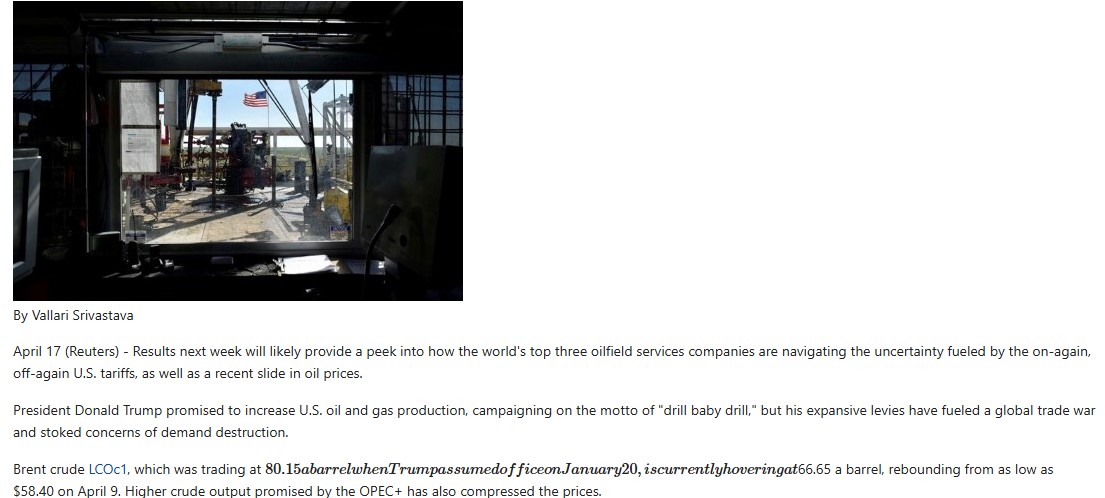
An example code to retrieve all news story in the list
Observations
LSEG Data Library for Python can be used to retrieve Top News Energy Headlines and Stories that can be applied to your workflow of new monitoring and more. Feel free to try it out.
The full code can be found in this GitHub Repository.
