Author

Introduction to the refinitivapis/elektronsdk_c Docker Image
The Elektron SDK is a suite of modern and open source APIs that is designed to simplify development through a strong focus on ease of use and standardized access to a broad set of Refinitiv and proprietary content and services.
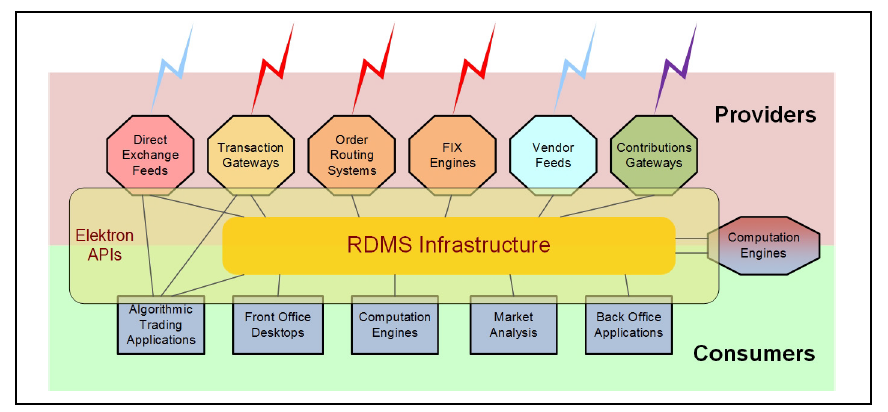
It currently supports C, C++, and Java programming languages and can be run on several operating systems including Windows, Oracle Linux, Red Hat Enterprise Linux, and CentOS.
Note: Although the Elektron SDK can also run on Docker, the Elektron SDK isn't officially qualified on the Docker platform. If you find any problems while running it on the Docker platform, the issues must be replicated on bare metal machines before contacting the helpdesk support.
This article demonstrates how to use the Elektron SDK on the Docker platform. It has three sections including:
- Refinitiv APIs docker images on the Docker Hub
- Deploying the Elektron SDK C/C++ docker image
- Running and modifying examples in the docker container
Refinitiv APIs docker images
The source of the Elektron SDK is available in GitHub. The Elektron SDK C/C++ and Java libraries can be built by using CMake and Gradle, respectively. Steps to build the Elektron SDK libraries are mentioned in GitHub (C/C++, and Java). Moreover, you can create your own Elektron SDK docker image by following steps in the Deploy and Run Elektron SDK in Docker article.
Fortunately, the Elektron SDK Docker images are now available in Docker Hub, as shown below.
- refinitivapis/elektronsdk_c: This docker image contains the latest version of Elektron SDK C/C++ libraries and examples. The image is rebuilt when the new version of Elektron SDK is available in GitHub. It uses Oracle Linux 7 as a based image and the GCC version is 4.8.5.
- refinitivapis/elektronsdk_java: This docker image contains the latest version of Elektron SDK Java libraries and examples. The image is rebuilt when the new version of Elektron SDK is available in GitHub. It uses Oracle Linux 7 as a based image and the Oracle OpenJDK version is 1.8.
- refinitivapis/websocket_api: This docker image contains WebSocket API Examples used to connect to TREP or Refinitiv Data Platform to consume real-time data through the WebSocket connections. There are examples of various programming languages such as CSharp, Java, Python, Go, Ruby, Node, Perl, and R. The examples are available in GitHub. The image uses Centos7 as a base image and it installs Python 3.6.8 used to run Python WebSocket API examples.
This article only focuses on the refinitivapis/elektronsdk_c docker image.
In the next section, I will demonstrate how to deploy the refinitivapis/elektronsdk_c image on Docker engines and Azure Containers.
Deploying the Elektron SDK C/C++ docker image
The docker images can be run as docker containers on local machines or cloud platforms. To follow steps in this section, the docker engine must be installed on a local machine or an Azure account is ready to be used.
Deploying the Elektron SDK C/C++ docker image on a local machine
First, the docker engine must be installed and run properly on the machine. The "docker version" command can be used to verify the docker engine.
When the docker engine is started, the "docker pull refinitivapis/elektronsdk_c" command can be used to download the latest Elektron SDK C/C++ docker image from the Docker Hub.
After downloading, the "docker images" command can be used to verify that the Elektron SDK C/C++ docker image is available on the machine.
The output of the "docker images" command must contain the refinitivapis/elektronsdk_c repository.
A Docker image can be run inside a container. The "docker run" command creates a new running container instance of the docker image. The following command can be used to run a container instance of the Elektron SDK C/C++ docker image.
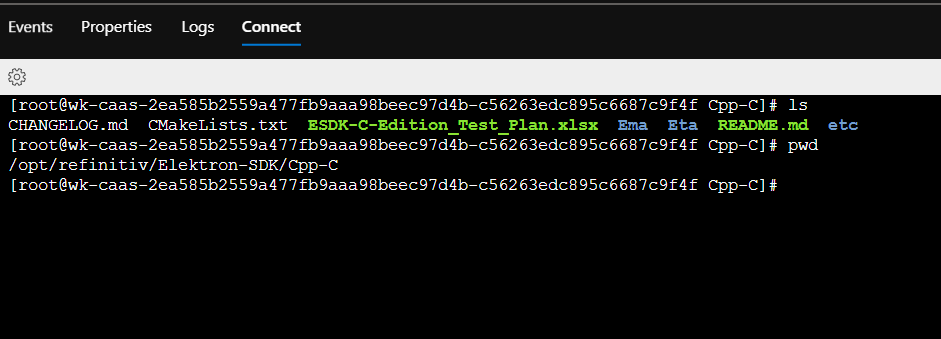
After running this command, you can access shell in the container. Then, you run the Elektron SDK examples in the container. The Elektron SDK C/C++ is in /opt/refinitiv/Elektron-SDK/Cpp-C directory.
Deploying the Elektron SDK C/C++ docker image on Azure
Instead of running docker containers on the local machine, you can run the Elektron SDK C/C++ docker container on Azure Container Instances. Azure Container Instances are used to create and manage Docker containers in Azure without having to set up virtual machines or manage additional infrastructure.
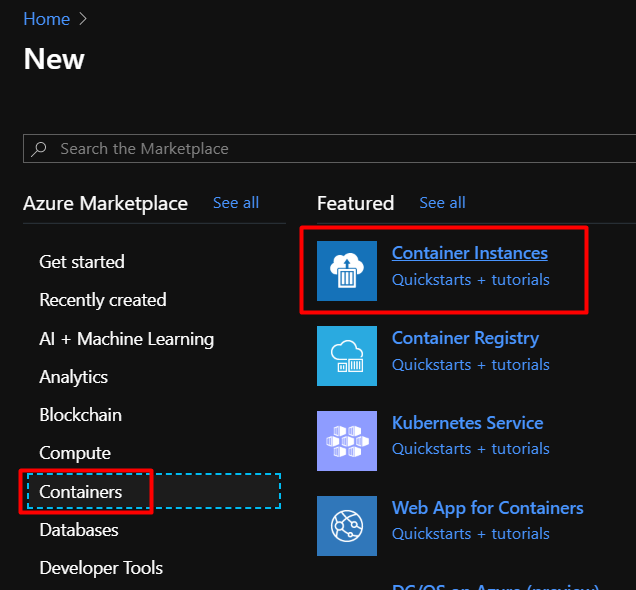
First, log in to Azure and then create a new Container Instances resource.
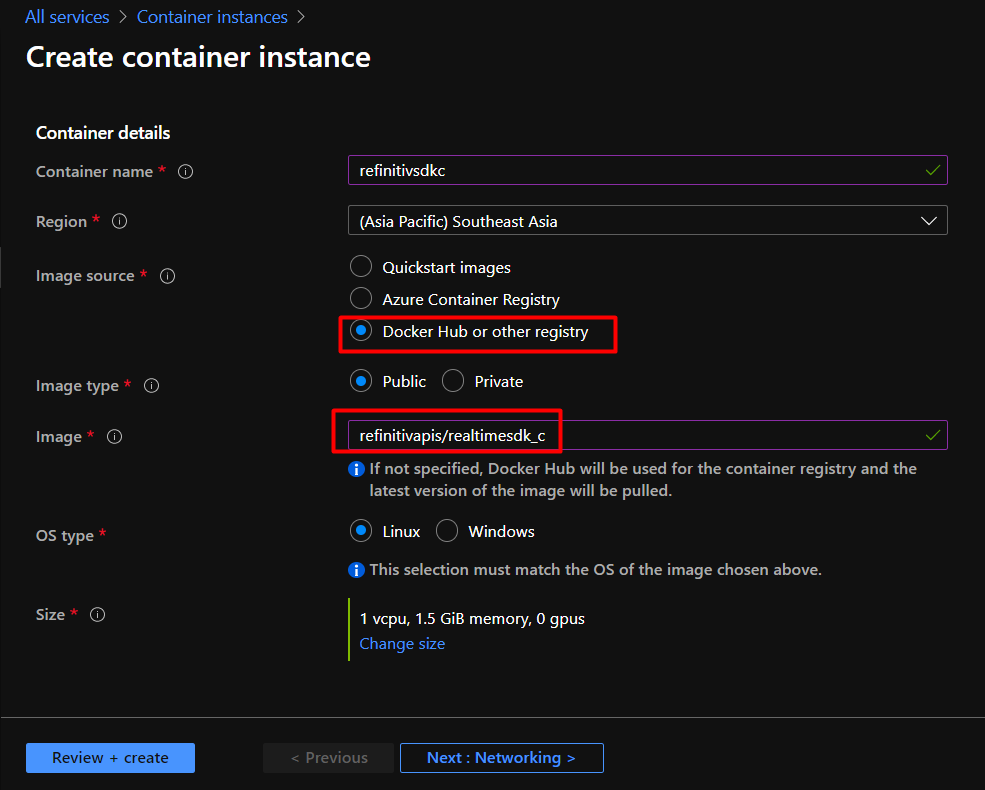
On the Create container instance page, fill in all required information. Select Docker Hub or other registry for the Image source and enter refinitivapis/elektronsdk_c for the Image. Then, click on the Next: Networking button.
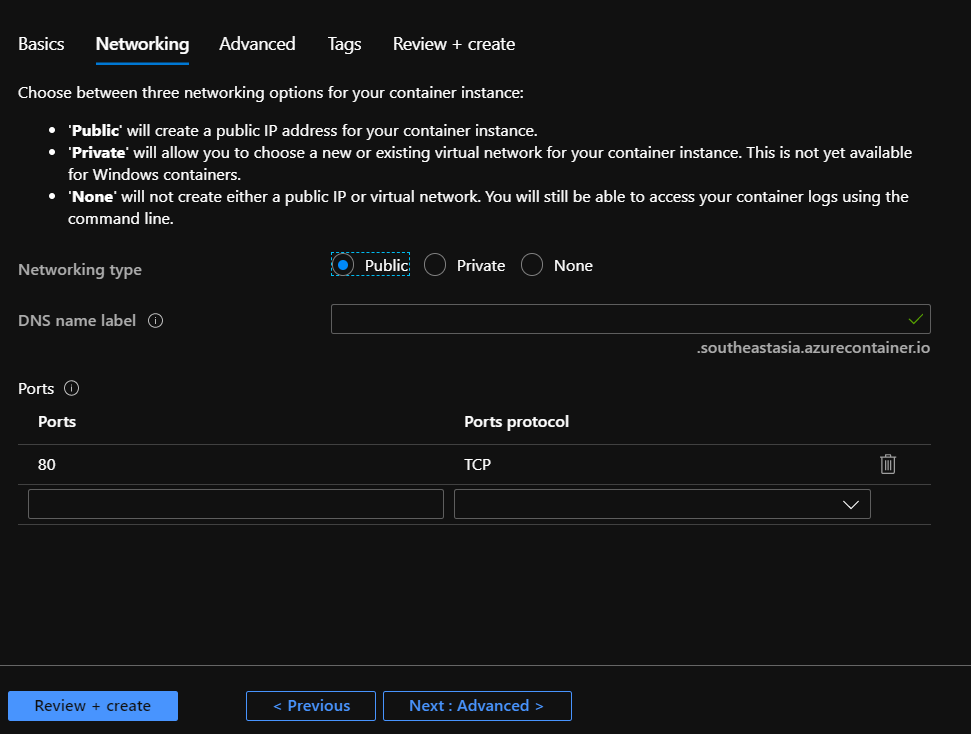
On the Networking tab, keep the default setting. Then click on the Next: Advanced button.
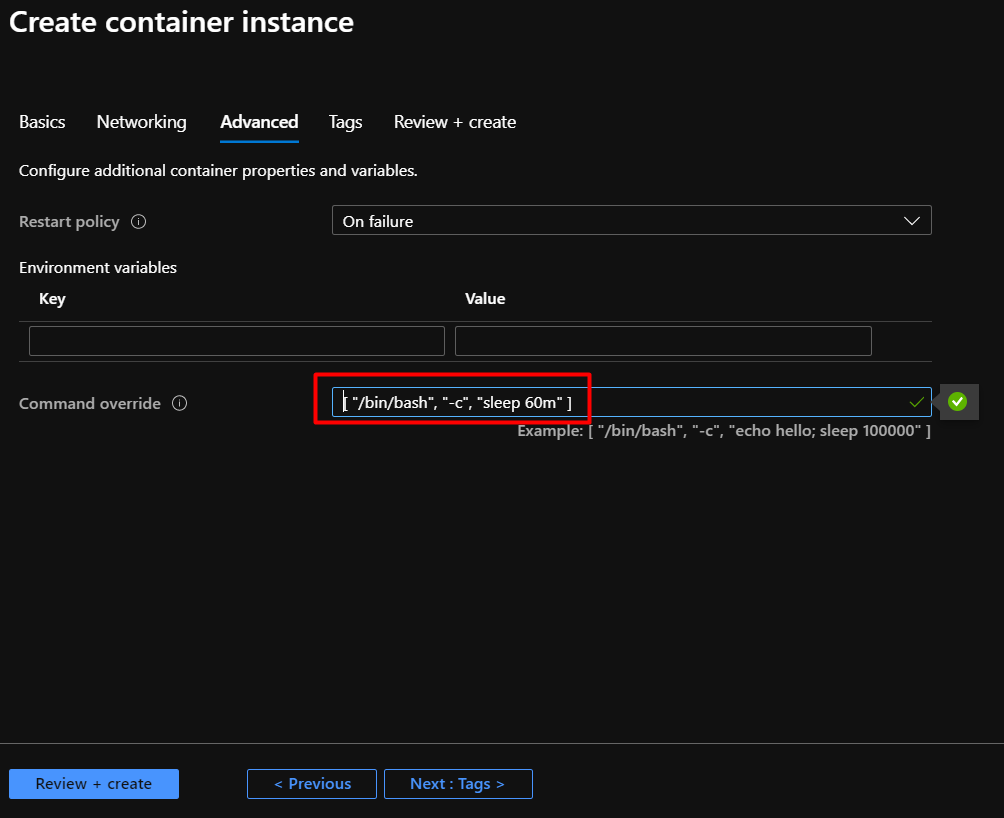
On the Advanced tab, enter [ "/bin/bash", "-c", "echo hello; sleep 60m" ] for the Command override. This command will keep the container running for 60 minutes before exiting. You can use another command or change the sleep time to keep the container running. Then, click on Review + create button.
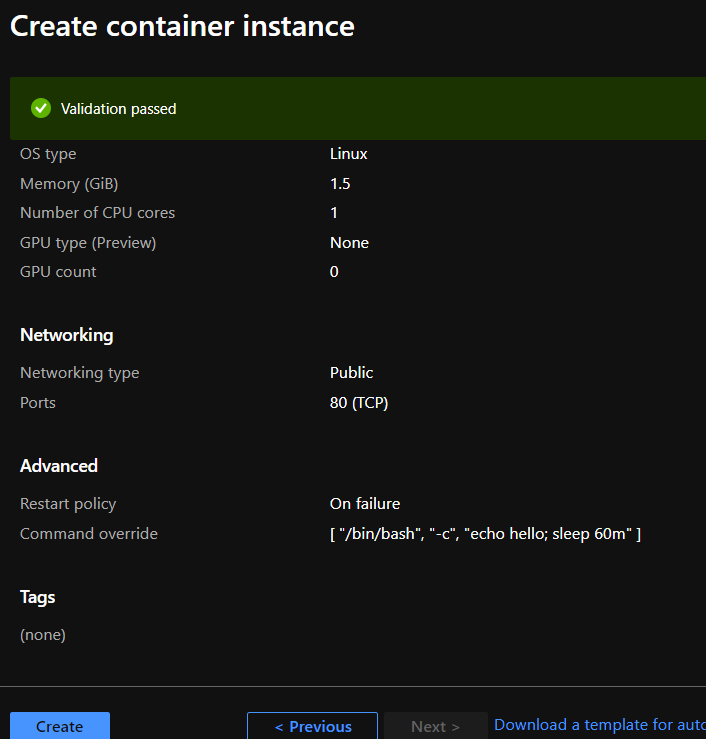
Next, review the information and then click on the Create button to create a container instance.
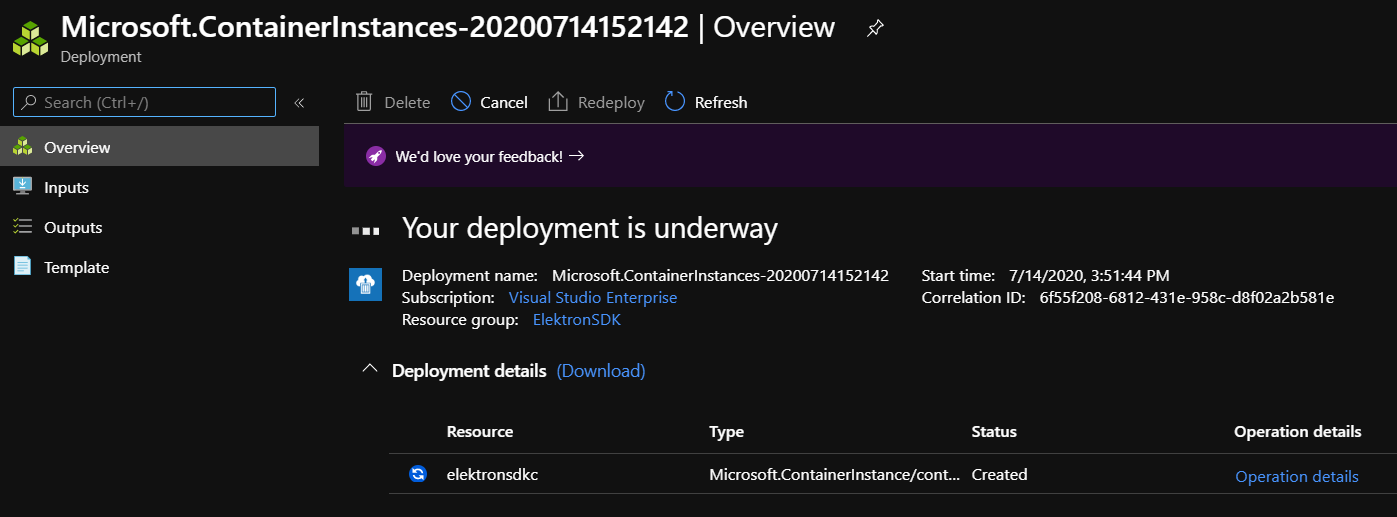
Wait for the deployment process to be completed.
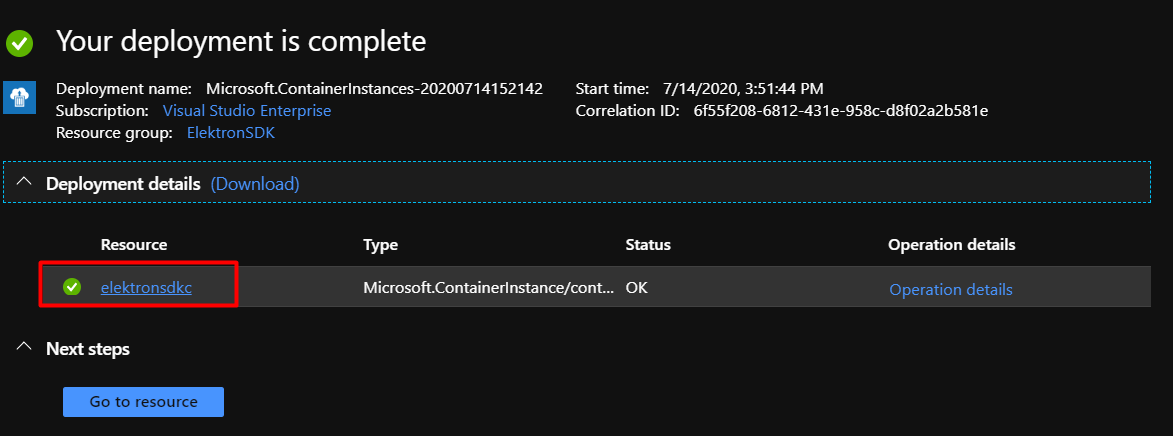
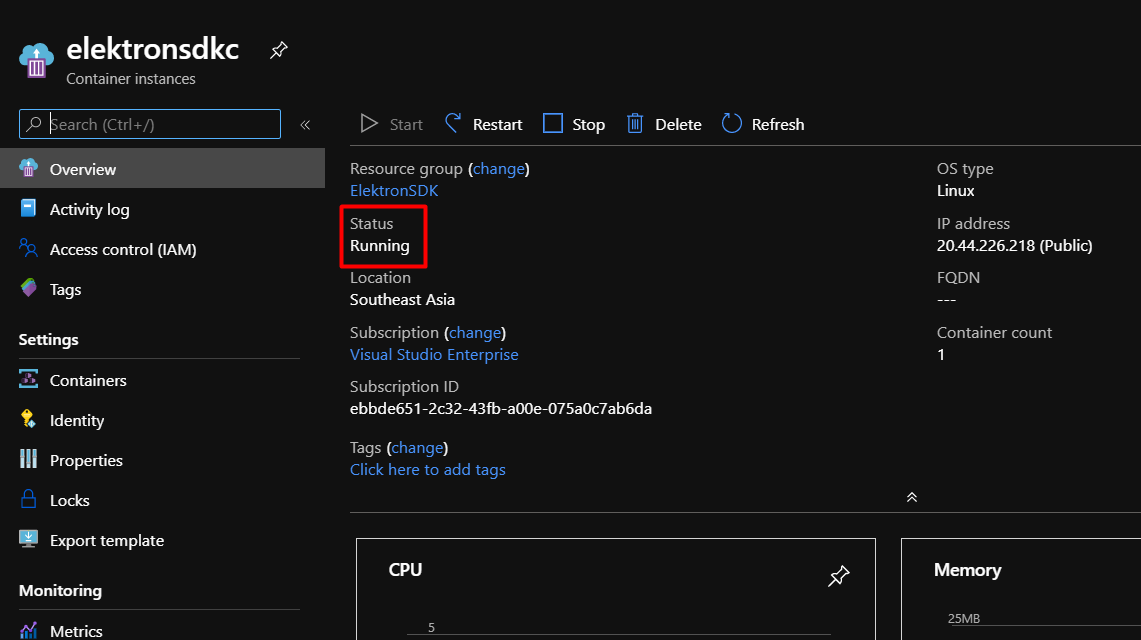
After the deployment is complete, click on the created resource (elektronsdkc).
On the overview page, verify that the status of the container is Running.
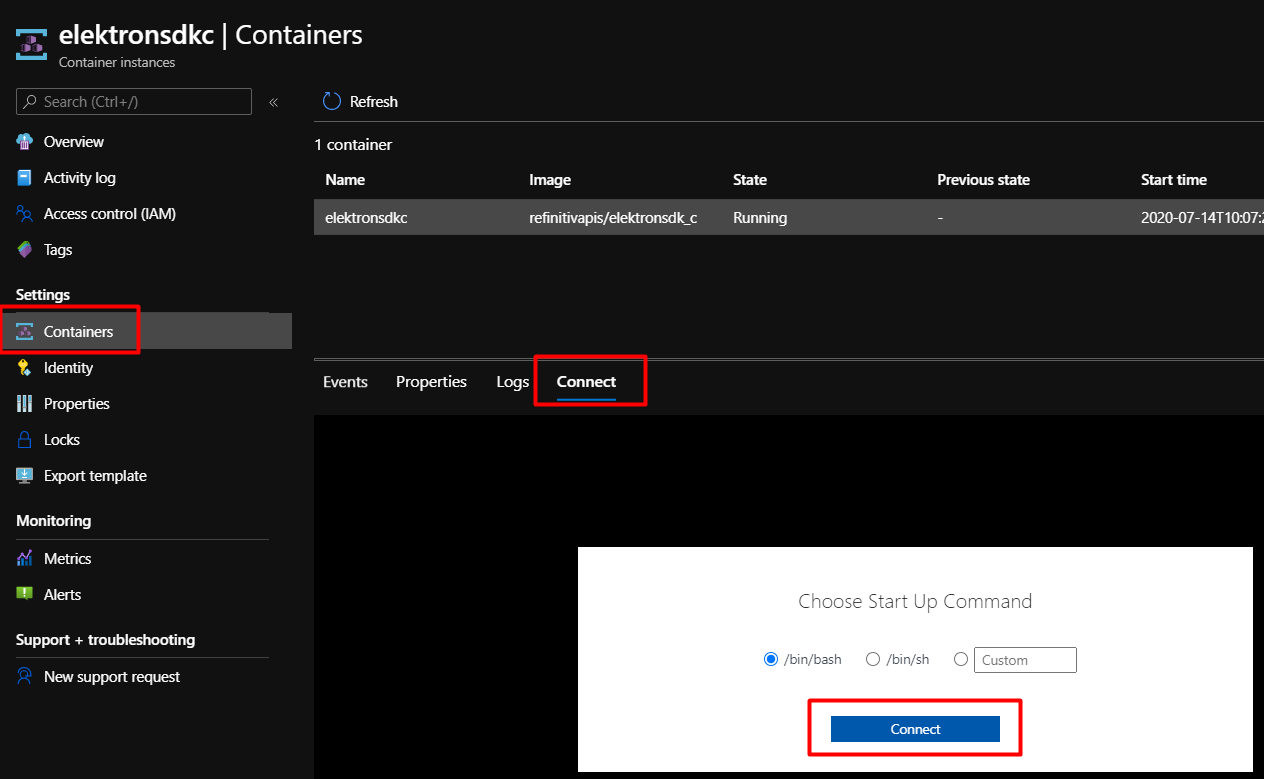
Then, select Containers under Settings, click on the Connect tab, choose the shell to be used, and then click on the Connect button.
Now, you can access shell in the container.
Running examples in the container
This section demonstrates how to run EMA and ETA examples in the container to consume real-time data from Elektron Real Time in Cloud (ERT in cloud). The Elektron SDK C/C++ package is in the /opt/refinitiv/Elektron-SDK/Cpp-C directory and the build directory is /opt/refinitiv/Elektron-SDK/esdk/.
To connect to ERT in cloud, the following information is required.
- UserID/MachineID
- Password
- AppKey (Client ID)
For more information, please refer to the Getting Start with Refinitiv Data Platform article.
Running an EMA example
In the Elektron SDK package, 113MarketPriceSessionManagement is an OMM Consumer application example that demonstrates basic usage of the EMA library in accessing and parsing OMM MarketPrice data from Elektron Real-Time in Cloud (ERT in cloud). The source code and executable files of this example are available in the following directories:
- Source code files: /opt/refinitiv/Elektron-SDK/Cpp-C/Ema/Examples/Training/Consumer/100_Series/113MarketPriceSessionManagement
- Executable file: /opt/refinitiv/Elektron-SDK/Cpp-C/Ema/Executables/OL7_64_GCC485/Optimized/
Follow these steps To run the Con113 example:
1. Change the current directory to /opt/refinitiv/Elektron-SDK/Cpp-C/Ema/Executables/OL7_64_GCC485/Optimized/
2. Copy the EmaConfig.xml from the 113MarketPriceSessionManagement source code directory to the current directory
3. Set the LD_LIBRARY_PATH environment variable with the directory path of libcurl.so
4. Run the Cons113 example with the following parameters
The example will connect to ERT in Cloud and subscribe to IBM.N from the ELEKTRON_DD service. However, the example may not be able to retrieve the data due to the permission issue. This problem will be fixed in the following section by modifying a subscribed RIC in the 113MarketPriceSessionManagement example.
For more information, please refer to EMA Quick Start - Connecting to Elektron Real Time in Cloud.
Running an ETA example
VAConsumer is an ETA example that uses ValueAdd component to consume data from an OMM Provider, ADS device, OMM Provider application or Elektron Real Time in Cloud (ERT in cloud). The source code and executable files of this example are available in the following directories:
- Source code files: /opt/refinitiv/Elektron-SDK/Cpp-C/Eta/Applications/Examples/VAConsumer
- Executable file: /opt/refinitiv/Elektron-SDK/Cpp-C/Eta/Executables/OL7_64_GCC485/Optimized
Follow these steps to run the VAConsumer example:
1. Change the current directory to /opt/refinitiv/Elektron-SDK/Cpp-C/Eta/Executables/OL7_64_GCC485/Optimized
2. Set the LD_LIBRARY_PATH environment variable with the directory path of libcurl.so
3. Run the VAConsumer example with the following parameters
The example will connect to ERT in Cloud (amer-1.pricing.streaming.edp.thomsonreuters.com:14002) and subscribe to JPY= from the ELEKTRON_DD service.
For more information, please refer to ETA Quick Start - Connecting to Elektron Real Time in Cloud.
Modifying an example in the container
This section demonstrates how to modify the 113MarketPriceSessionManagement example by changing the default RIC from IBM.N to JPY= and then re-build the Cons113 example.
1. Change the directory to the 113MarketPriceSessionManagement example
2. Use a text editor to modify the Consumer.cpp file. In the main function, change the value in the itemName variable from "IBM.N" to "JPY="
3. Save changes and then exit the text editor
4. Change the directory to /opt/refinitiv/Elektron-SDK/esdk/
5. Run the make command to rebuild the Cons113 example
6. Then, follow steps in the Running an EMA example section to re-run the Cons113 example.
Summary
This article introduces Refinitiv's Elektron SDK and WebSocket API Docker images in Docker Hub. The refinitivapis/elektronsdk_c docker image contains the latest version of Elektron SDK C/C++ libraries and examples. The refinitivapis/elektronsdk_java docker image contains the latest version of Elektron SDK Java libraries and examples. The refinitivapis/websocket_api docker image contains WebSocket API Examples used to connect to TREP or Refinitiv Data Platform to consume real-time data through the WebSocket connections. Then, it demonstrates how to deploy the refinitivapis/elektronsdk_c docker image on the Docker engines and Azure Containers. Finally, it shows how to modify and run examples to retrieve real-time data from Elektron Real Time in Cloud (ERT in cloud).
References
- Azure.microsoft.com. 2020. Azure Container Instances | Microsoft Azure. [online] Available at: https://azure.microsoft.com/en-us/services/container-instances/ [Accessed 15 July 2020].
- Azure.microsoft.com. 2020. Cloud Computing Services | Microsoft Azure. [online] Available at: https://azure.microsoft.com/en-us/ [Accessed 15 July 2020].
- Cmake.org. n.d. Cmake. [online] Available at: https://cmake.org/ [Accessed 15 July 2020].
- Hub.docker.com. n.d. Docker Image For Elektron SDK C/CPP. [online] Available at: https://hub.docker.com/repository/docker/refinitivapis/elektronsdk_c [Accessed 15 July 2020].
- Hub.docker.com. 2020. Docker Image For Elektron SDK Java. [online] Available at: https://hub.docker.com/r/refinitivapis/elektronsdk_java [Accessed 15 July 2020].
- Hub.docker.com. 2020. Docker Image For Websocket APIs. [online] Available at: https://hub.docker.com/r/refinitivapis/websocket_api [Accessed 15 July 2020].
- Developers.refinitiv.com. 2019. EMA Quick Start - Connecting To Elektron Real Time In Cloud. [online] Available at: https://developers.refinitiv.com/elektron/elektron-sdk-cc/quick-start?content=64988&type=quick_start [Accessed 15 July 2020].
- Developers.refinitiv.com. 2019. ETA Quick Start - Connecting To Elektron Real Time In Cloud. [online] Available at: https://developers.refinitiv.com/elektron/elektron-sdk-cc/quick-start?content=67018&type=quick_start [Accessed 15 July 2020].
- Docker Documentation. 2020. Get Docker. [online] Available at: https://docs.docker.com/get-docker/ [Accessed 15 July 2020].
- Gradle. 2020. Gradle Build Tool. [online] Available at: https://gradle.org [Accessed 15 July 2020].
- Phuriphanvichai, J., 2017. Deploy And Run Elektron SDK In Docker | DEVELOPER COMMUNITY. [online] Developers.refinitiv.com. Available at: https://developers.refinitiv.com/article/deploy-and-run-elektron-sdk-docker [Accessed 15 July 2020].
- GitHub. n.d. Refinitiv/Elektron-SDK. [online] Available at: https://github.com/Refinitiv/Elektron-SDK [Accessed 15 July 2020].
- GitHub. n.d. Refinitiv/Websocket-Api. [online] Available at: https://github.com/Refinitiv/websocket-api/ [Accessed 15 July 2020].
- Rungruengrayubkul, V., 2020. Getting Start With Refinitiv Data Platform | DEVELOPER COMMUNITY. [online] Developers.refinitiv.com. Available at: https://developers.refinitiv.com/article/getting-start-refinitiv-data-platform [Accessed 15 July 2020].