
Would you like to do some analysis regarding the historical constituent RIC list (monthly) ? This can be done easily using Datastream Web Services API (DSWS).
For more information about DSWS, feel free to check Datastream Web Services API (DSWS)
This article covers the step belows
1. Login to DSWS
2. Get Constituent RICs list from Datastream
3. Get Constituent RICs list of multiple months
1. Login to DSWS
First, put your username and password to logging-in to Datastream
Replace #### DSWS USERNAME #### and #### DSWS PASSWORD #### with your credential
2. Get Constituent RICs list from Datastream
How to get the right tickers to be used
Access the DFO Navigator
1. Put the search keyword, here I put 'S&P 500'
2. Click search
3. Put the filter that you're interested, here I click The 'Constituent Lists'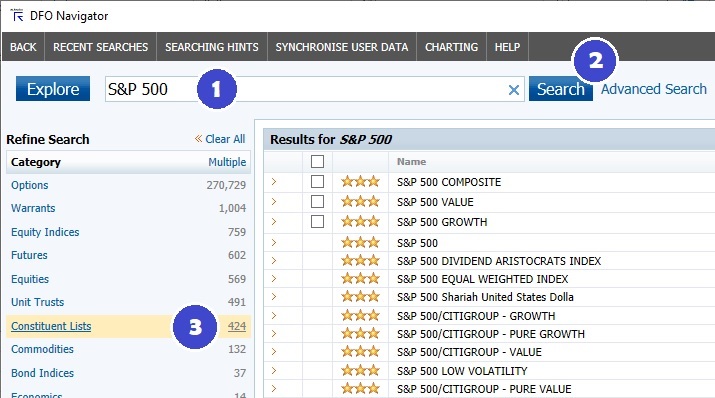
Then the results of the search will be shown
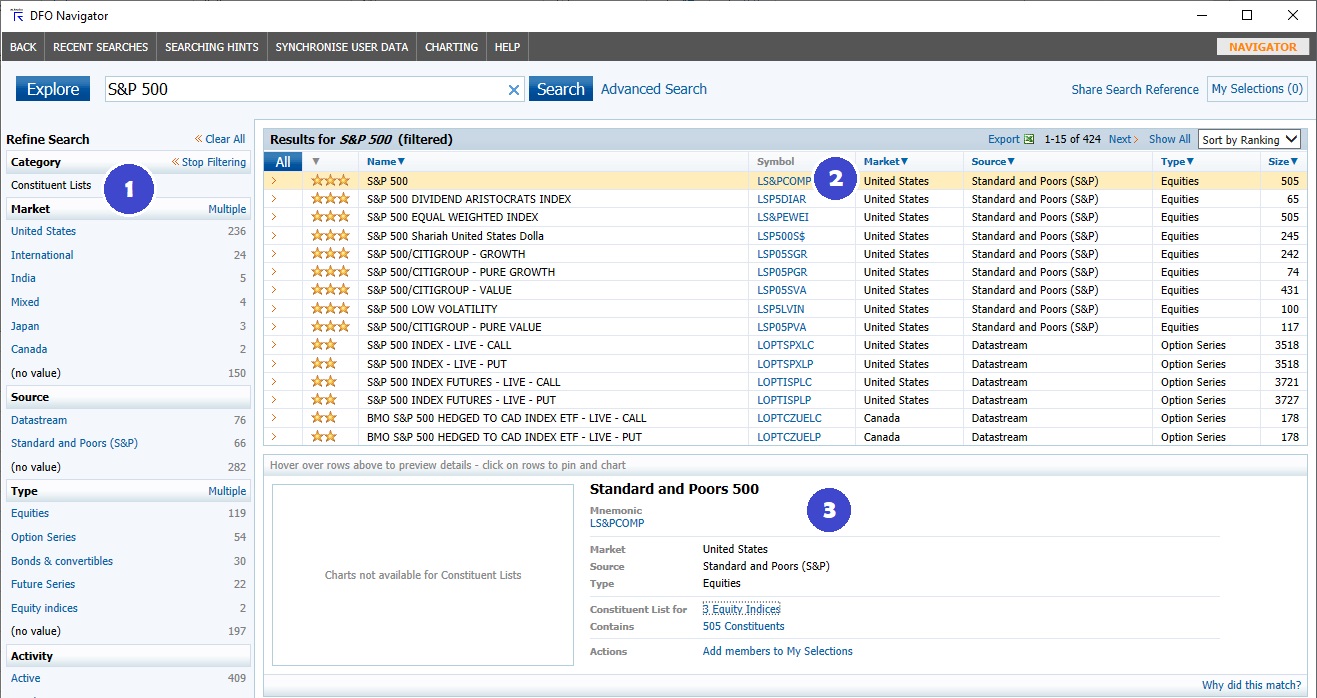
1. Show that the category > 'Constituents Lists' filter is applied
2. Symbol that can be used as a ticker
3. The detail of what you selected is shown here
After you have the ticker to be used, put it in the code below
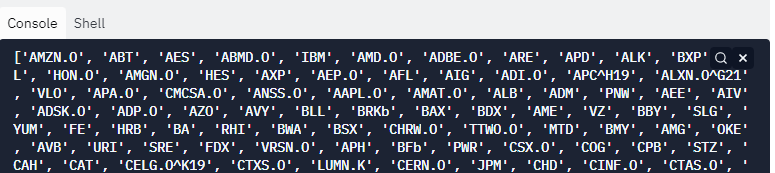
In this example, we're going to get the RIC list of S&P500's constituents as of December 2018
- Use LS&PCOMP as a tickers to get S&P500 data
- Tickers' suffix, use 1218 to get the data as of December 2018 (yymm format). Then put |L to get the list of constituents
- Use 'RIC' as a fields parameter to get the RICs of constituents as an output
3. Get Constituent RICs list of multiple months
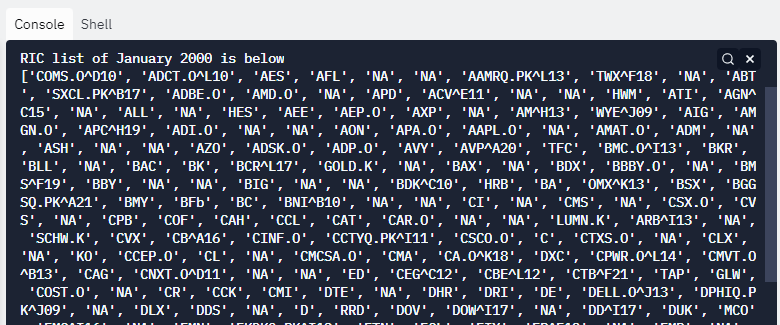
- Declare the list of months to get the data (in mmyy format)
- For each month, call get_data() function to get RICs list and save it into rics_list Python dictionary
- Let's see what we get! print the data of month-year and RICs list out
Would you like to play with the full code?
Summary
If you'd like to do some analysis regarding the monthly-historical constituent RICs list, Datastream Web Services API seems to be the right tool for you! You may also get list of RICs in different months depend on parameter passed into get_data() function.